
Use case
Edit Graduation Photos with AI
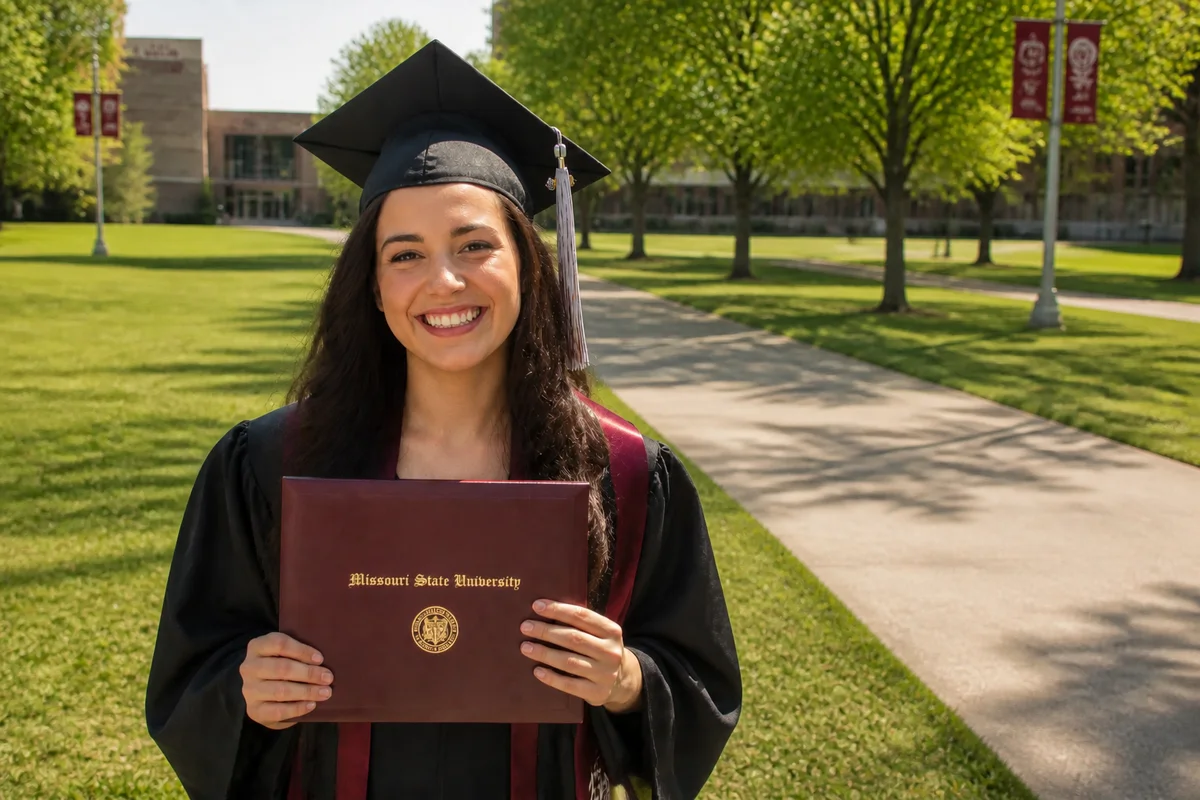
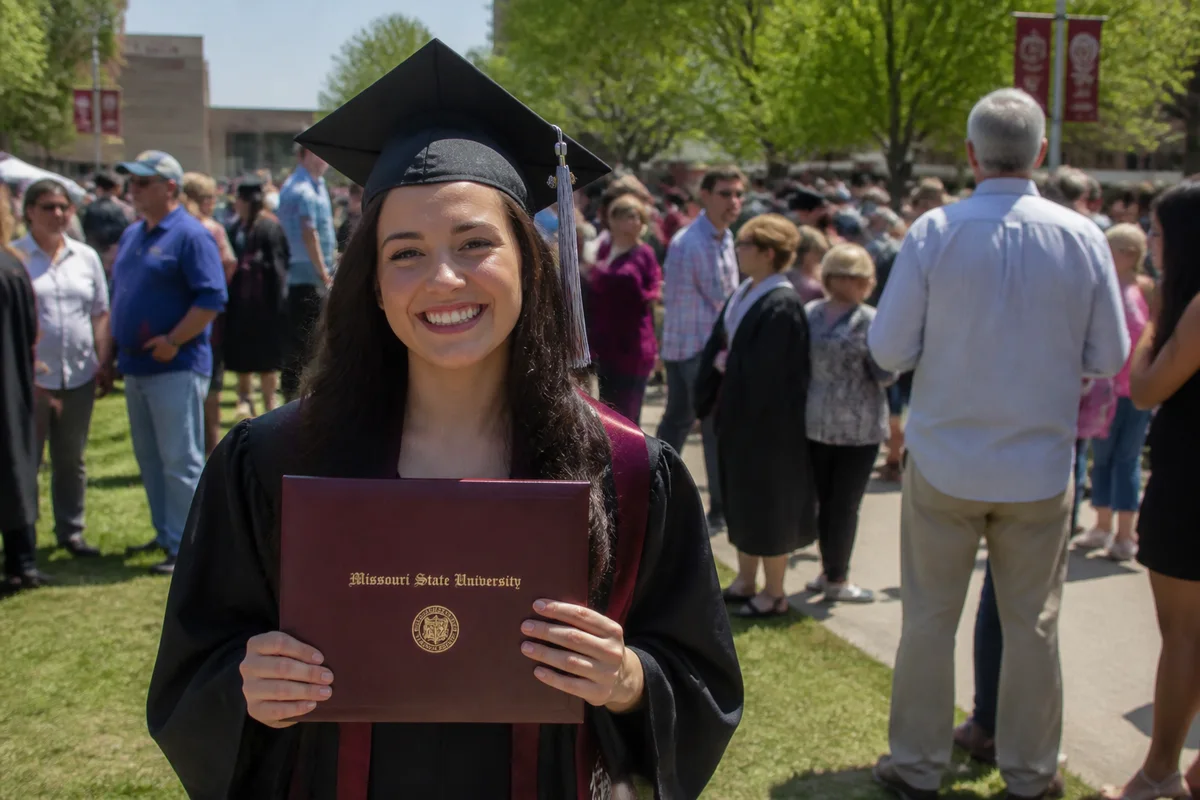
The workflow in action — drag to compare.
Graduation photos get taken in the least photogenic conditions imaginable: packed stadium bleachers in the background, harsh midday sun or dim arena lighting, and a five-second window to catch the diploma handshake from forty rows away. The formal portraits are better, but they come from an assembly line — and the candids afterward, in gowns on a crowded quad, are where the real smiles happened.
AI editing fixes both. For ceremony shots: remove the crowd behind your graduate, brighten a dim arena capture, and sharpen the long-zoom diploma moment. For the celebration candids: clear the strangers from the quad, fix squinting-into-the-sun lighting, and clean up backgrounds for the announcement post.
Then prep the winning shot for its many destinations — announcement cards, grandparent prints, and the social post tagging the whole family.
The problems this solves
- Ceremony photos are taken from far away in dim arena or harsh stadium light.
- Every candid on the quad has dozens of other families in the background.
- The cap-toss and diploma-handshake shots are slightly blurred from zoom and motion.
- The same photo needs to work as an announcement card, a print, and a social post.
A workflow that works
Clear the crowd behind the graduate
Removing the sea of other families turns a chaotic quad candid into a portrait of your graduate's moment.
AI Person RemoverFix ceremony lighting
Dim arenas and harsh noon stadiums both mistreat faces; relighting recovers a natural look in either direction.
AI Lighting ChangerSharpen the zoomed action shots
The diploma handshake shot from row 40 at full zoom deserves recovery — it's the moment the whole day was about.
AI Unblur ImageExpand for announcement layouts
Extending the canvas creates space for the name, school, and year on announcement cards without covering the graduate.
Generative ExpandUpscale for prints
Grandparents want prints; upscaling makes the edited photo hold up at 8x10 and larger.
AI Image UpscalerFrequently asked questions
Can the crowded bleachers behind the stage be cleaned up?
Yes — background crowds remove or simplify well. For stage shots, another option is replacing the background entirely with a subtle dark backdrop, which reads like professional event photography.
Our ceremony photos are from really far away. How much can editing help?
Crop in to your graduate, then upscale and sharpen the crop. A small subject in a huge frame often contains more recoverable detail than expected. It won't match a front-row shot, but it usually becomes clearly shareable.
What's the best photo for a graduation announcement?
A clean, well-lit shot of the graduate in regalia with an uncluttered background — either an edited candid or a formal portrait. Expand the canvas for text placement and export at 300 DPI for printed cards.
Can I fix the official photographer's stiff formal portrait?
You can adjust lighting and background on photos you've purchased with personal-use rights. If the expression is the problem, an edited natural candid often beats a fixed formal portrait — expressions are the hardest thing to change convincingly.
Related use cases