
Use case
Edit Wedding Photos with AI
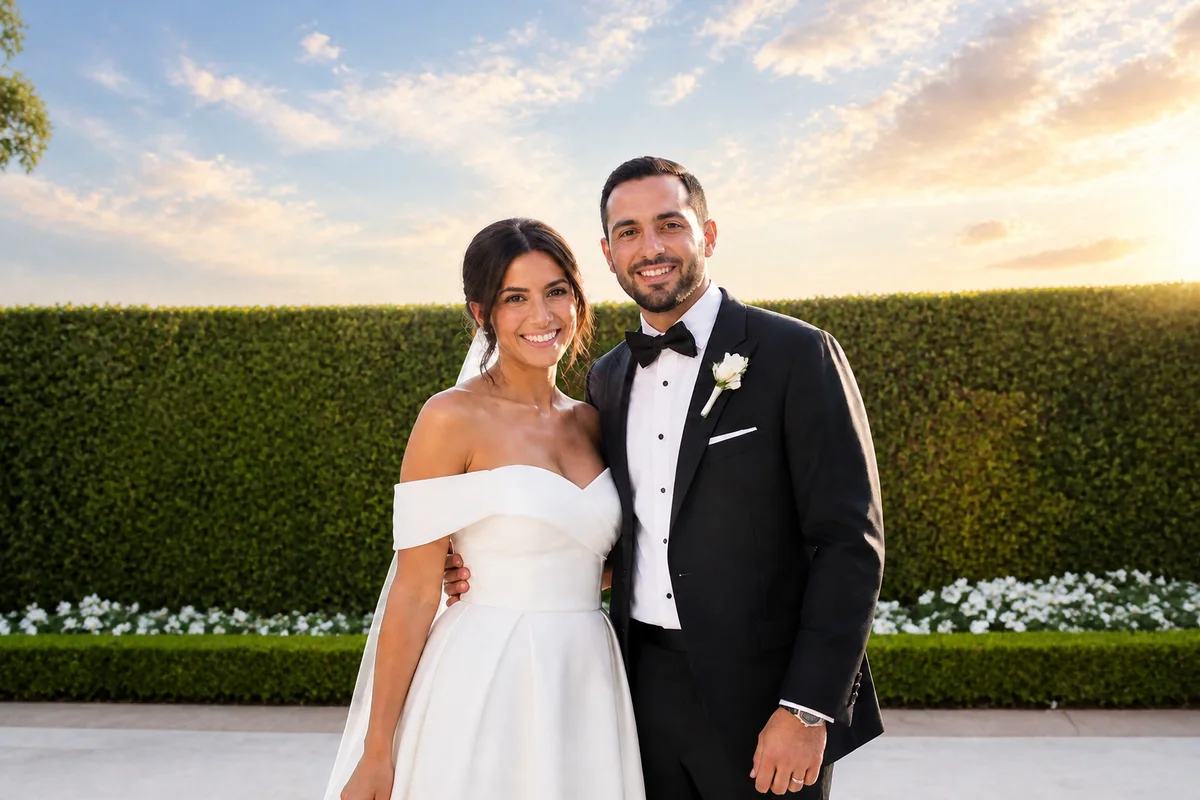
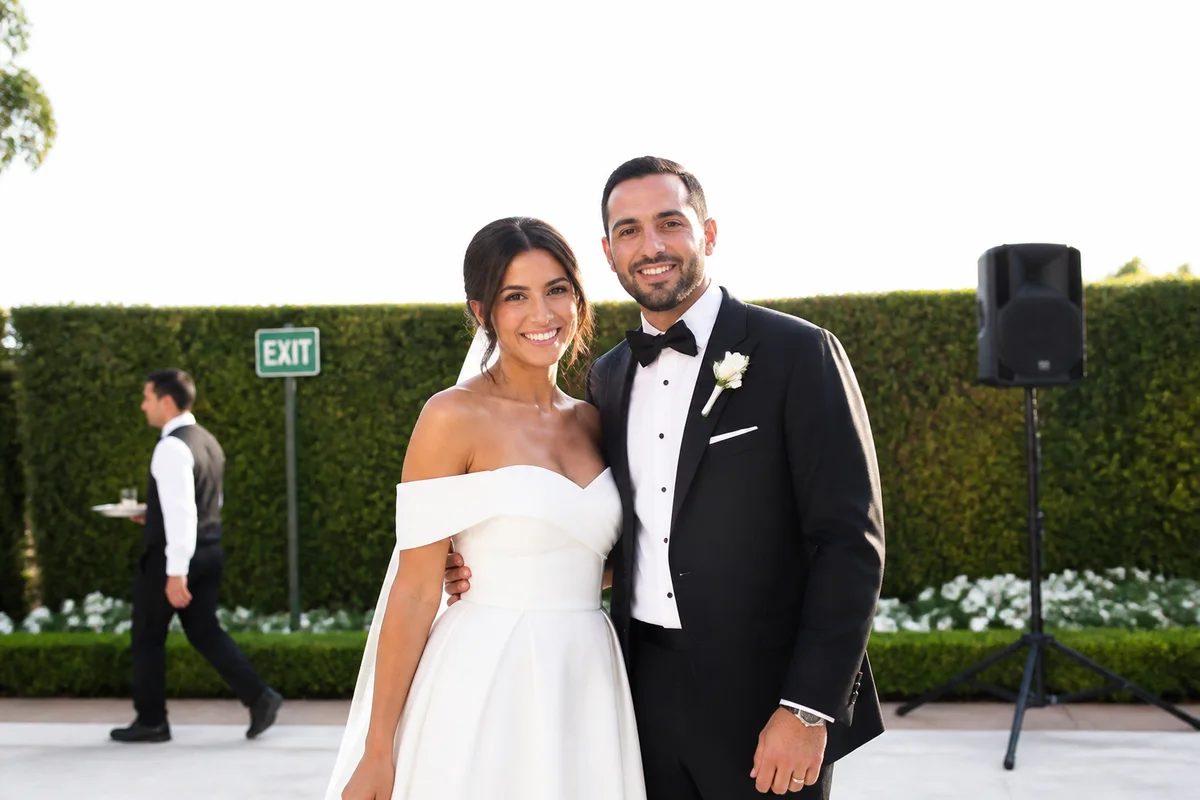
The workflow in action — drag to compare.
Wedding photos are the ones you'll actually look at for decades — and they're taken on a day with zero margin for reshoots. Even great photographers can't control the guest who wandered into the ceremony backdrop, the exit sign glowing over the reception dance floor, or the sky that went flat white during outdoor portraits.
AI editing gives couples a second pass on the moments that matter. Remove the stranger from the ceremony wide shot, erase the exit signs and cables from the venue, bring a blown-out sky back to golden hour, fix the color chaos of DJ lighting, and apply gentle retouching to the portraits you'll frame.
This works whether you're polishing a professional gallery for printing, fixing the candid phone shots guests took, or rescuing photos from a budget shoot that didn't include retouching.
The problems this solves
- Guests, staff, and strangers wander into ceremony and portrait backgrounds.
- Venue distractions — exit signs, speakers, cables, parked cars — appear in otherwise beautiful shots.
- Outdoor portraits have blown-out white skies or harsh midday shadows.
- Reception photos suffer from mixed DJ lighting that turns skin purple and green.
A workflow that works
Remove photobombers and stray guests
The ceremony kiss with a stranger in the background becomes the clean shot you frame — without awkward cropping.
AI Person RemoverErase venue distractions
Exit signs, cables, cones, and catering carts disappear, leaving the venue the way you remember it.
AI Object RemoverRestore the sky in outdoor shots
A blown-white sky flattens portraits; a soft golden-hour or blue sky restores the depth the scene actually had.
AI Sky ReplacementFix reception color casts
DJ uplighting turns skin tones magenta and teal; correction reduces those casts while keeping the party atmosphere.
AI Color CorrectionGently retouch the framed portraits
Light, natural retouching for the shots you'll print large — cleanup without the plastic look.
AI Face RetouchFrequently asked questions
Can I edit the photos my wedding photographer delivered?
Check your contract first — some photographers restrict editing of delivered images, others don't mind personal-use edits. For prints and albums you order yourself from your licensed gallery, light cleanup like object removal is generally fine; when in doubt, ask your photographer.
Can you really remove a person standing behind us in the ceremony shot?
Yes, if they're not overlapping you heavily. A guest in the background or off to the side removes cleanly; someone whose arm crosses in front of the couple is harder and may need a different frame from the same moment.
Our outdoor photos have completely white skies. Fixable?
Very. Blown skies are one of the most common wedding photo problems and sky replacement handles them well. Choose a sky consistent with your lighting — soft late-afternoon tones if your faces are warmly lit, neutral blue for midday shots.
What's appropriate retouching for wedding portraits?
Temporary things: blemishes, shine, a bra strap, smudged makeup, red eyes from flash. Most couples keep everything else — these photos are a record of who you were that day, and heavy editing ages badly.
Related use cases