
People
AI Face Swap
Put any face into any photo with matched lighting and tone
Free credits on signup — no credit card required.
- 1Upload the target photo and a clear photo of the face to use
- 2Run the swap — alignment, blending and color-matching are automatic
- 3Compare with the original and download or chain into another tool
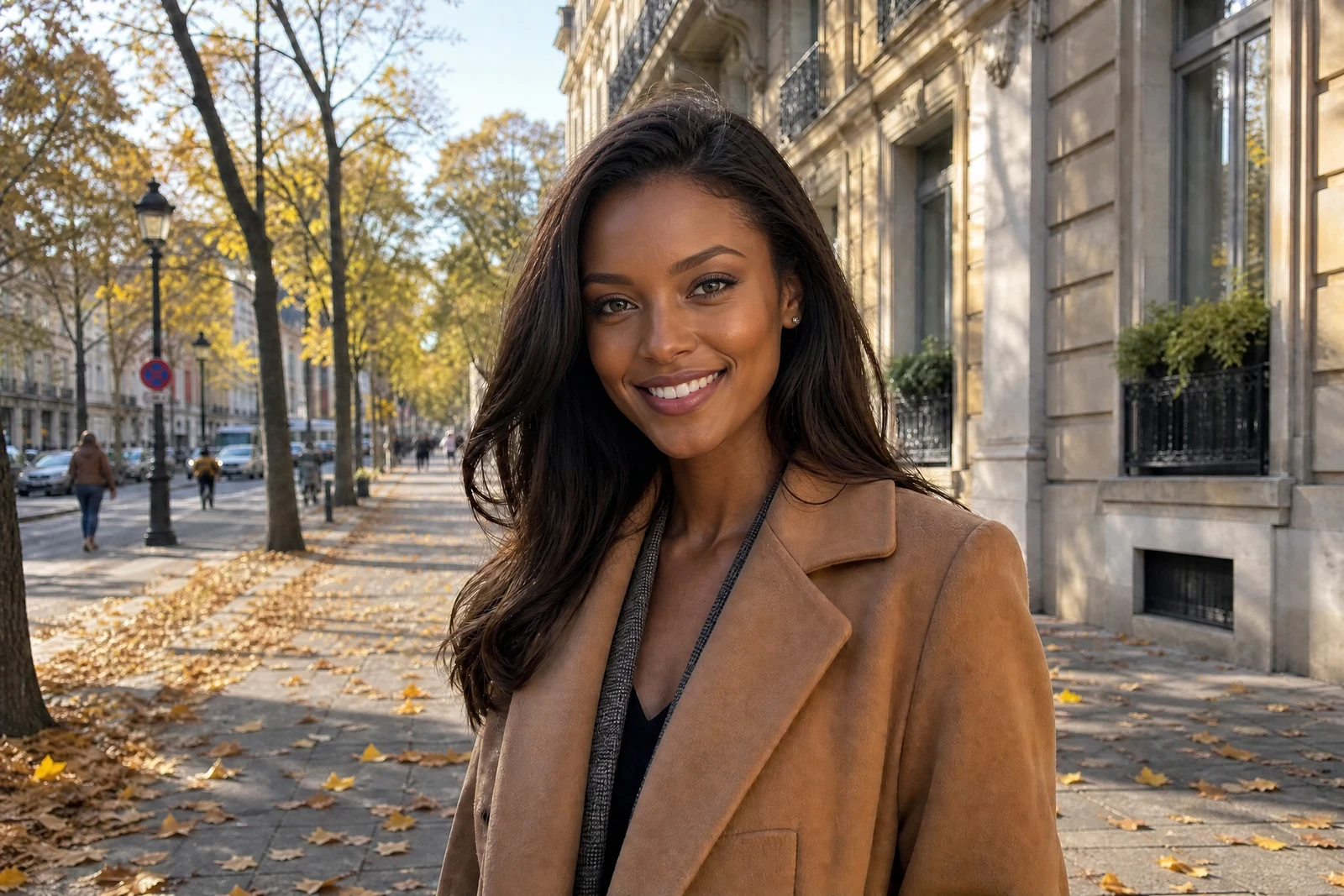
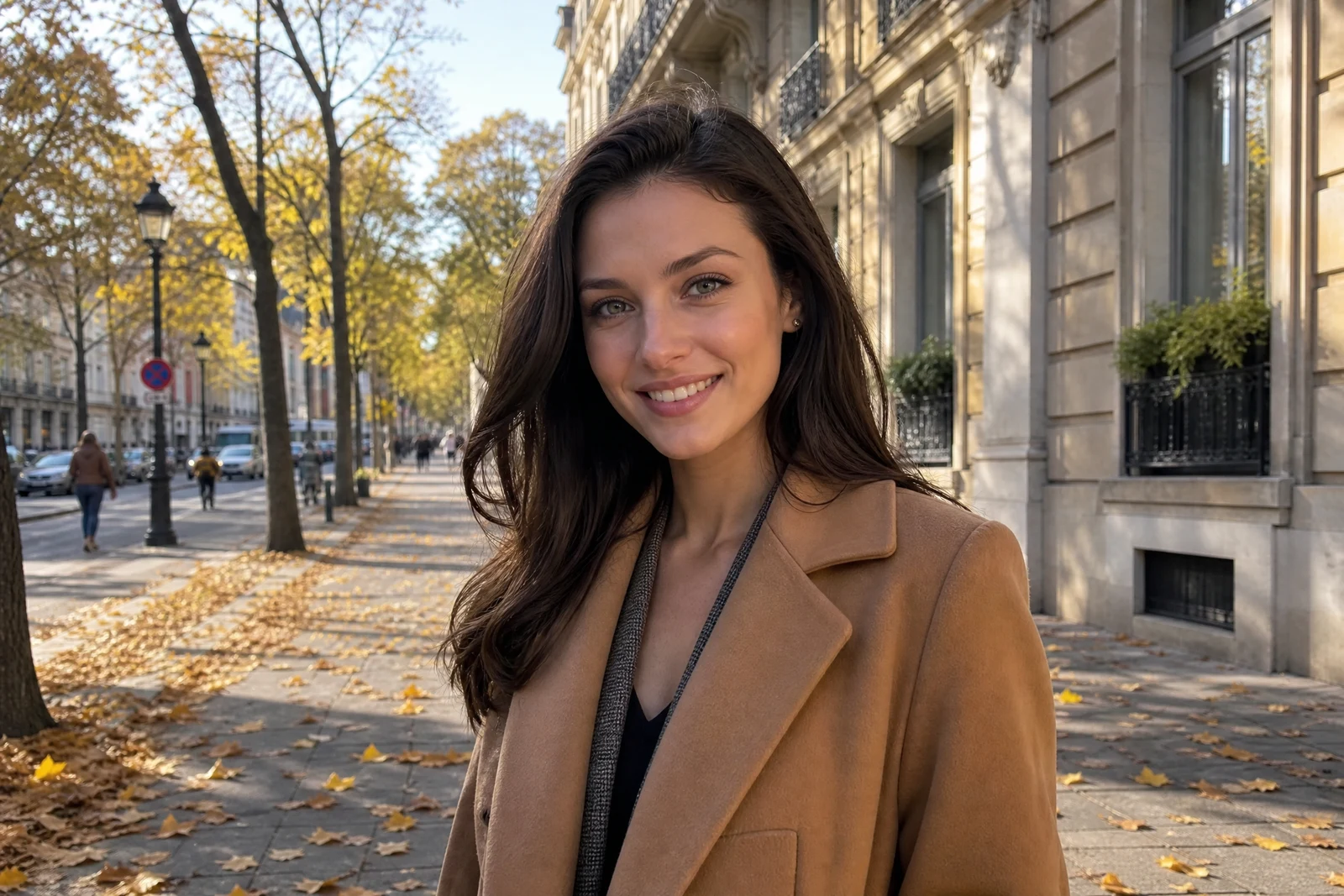
Real output from the editor — drag to compare.
Face swapping is harder than pasting one head onto another: the angle, lighting direction, skin tone, and expression of the source face rarely match the target photo. This tool handles the full pipeline, detecting the face in your source image, re-posing it to match the target head position, and blending the skin so tones transition naturally at the jaw and hairline.
You upload two photos: one with the face you want to use, and one target photo to place it into. Everything else in the target photo stays exactly as it was — the swap changes the face and blends it with the target's lighting, so the result reads as one photograph rather than a composite.
Use it for trying a professional headshot body with your own face, recreating a group photo where someone blinked, or just playful edits with friends who have given you their photo. Standard, Pro, and Max quality tiers are available; the higher tiers apply extra detail refinement to the swapped face.
Why this tool
- Chain the result into any of the other tools
- Standard, Pro and Max quality tiers
- Results land in your creations library
- Upscale to print size or turn into video
Frequently asked questions
What makes a good source face photo?
A sharp, well-lit, front-facing photo where the face is at least a few hundred pixels wide. Avoid sunglasses, heavy motion blur, and extreme side angles; the closer the source angle is to the target photo, the cleaner the swap.
What happens to the rest of the photo?
Only the face changes. The target photo's hair, body, clothing, background and lighting stay as they were, and the new face is blended to match. If you want to change the hairstyle too, chain the result into the Hair Style Changer tool.
Does it adjust skin tone and lighting?
Yes. The blend stage color-matches the swapped face to the target photo's lighting and grades the skin so there is no visible seam at the jawline or forehead. Strong colored lighting in the target is carried onto the new face.
Can I swap faces in a group photo?
Yes, the swap targets the most prominent matching face in the target image. For precise control in a large group, crop the target to the person you want changed, run the swap, and composite back if needed.
Can I try AI Face Swap for free?
Yes — every new account starts with 4 free credits, enough to run this tool once at Standard quality. No credit card required.
Related tools