
Background
AI Background Blur
DSLR-style bokeh from any phone photo
Free credits on signup — no credit card required.
- 1Upload a photo with a clear subject
- 2The AI maps depth and blurs the background with lens-like falloff
- 3Download the portrait with its new depth-of-field
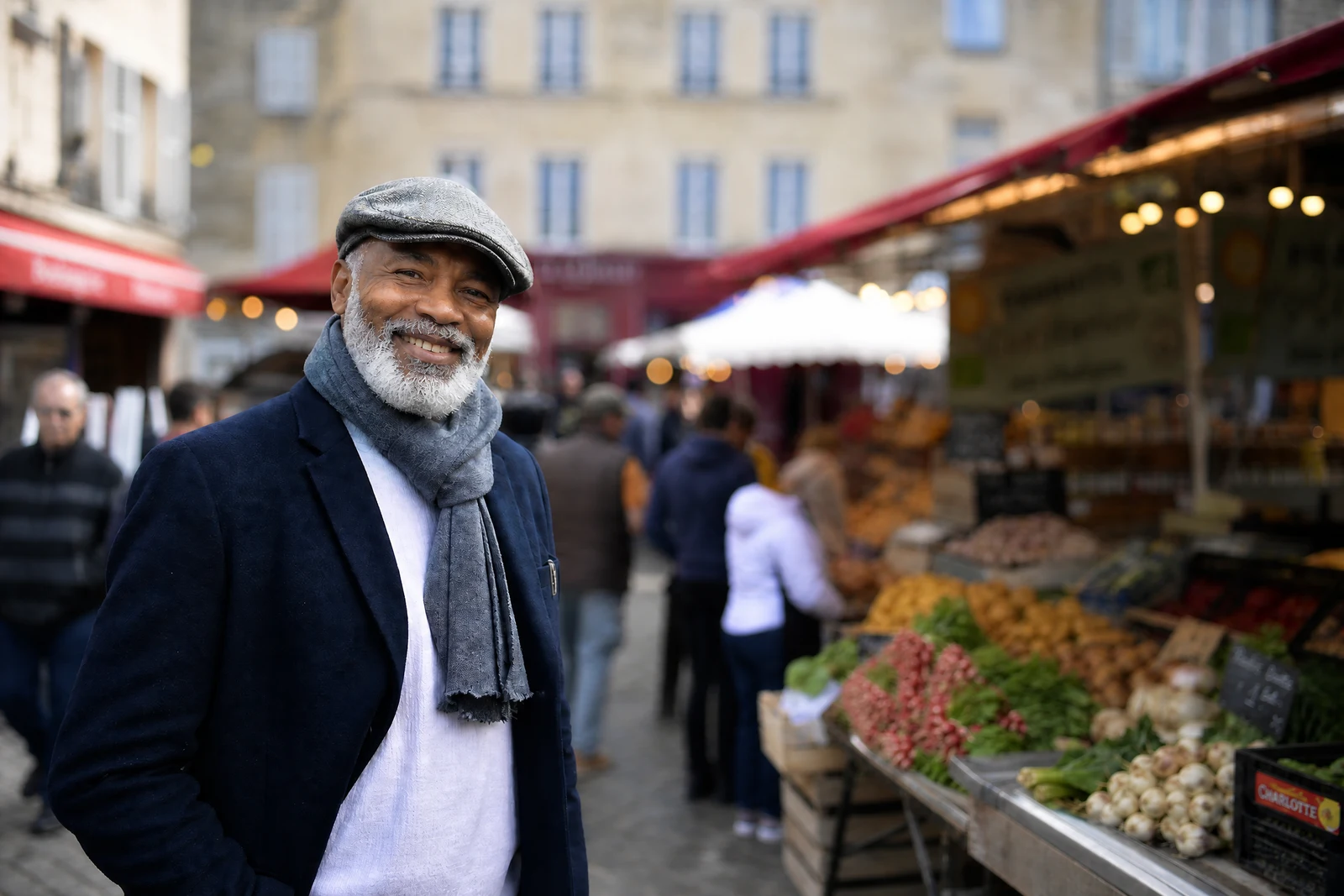
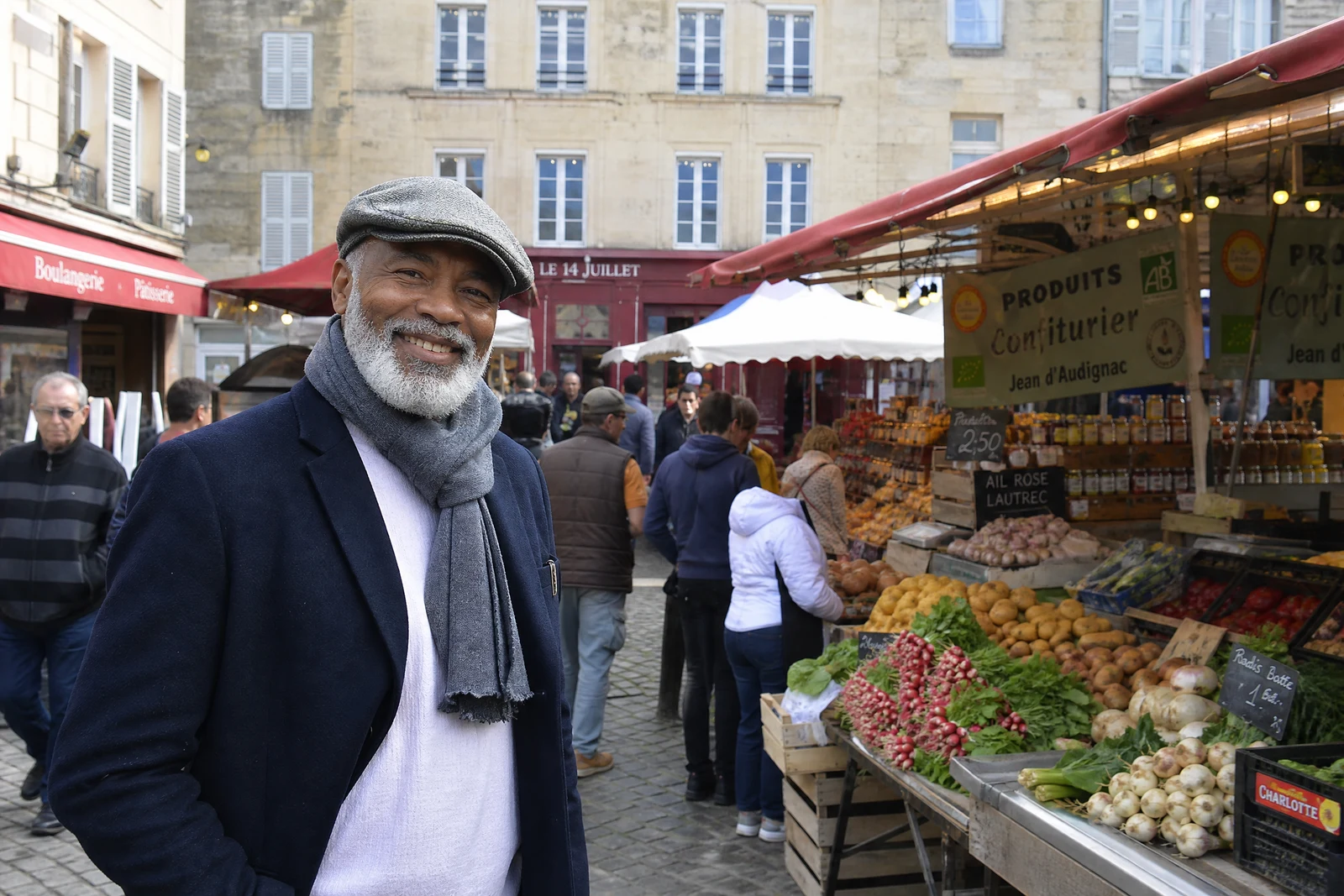
Real output from the editor — drag to compare.
The creamy background blur in professional portraits comes from wide-aperture lenses that phones physically cannot carry. Software portrait modes approximate it at capture time, but if the moment has passed or the mode was off, you are stuck with a busy background competing with your subject. This tool adds that depth-of-field after the fact.
The AI builds a depth understanding of your photo, keeps the subject critically sharp, and blurs the background with a falloff that mimics real lens optics: objects slightly behind the subject blur a little, distant objects blur a lot, and bright highlights bloom into soft bokeh discs rather than smearing. That graduated treatment is what separates convincing synthetic bokeh from a uniform Gaussian blur slapped behind a cutout.
It is the fastest way to rescue portraits shot against clutter, make product photos pop, and give casual snapshots an editorial feel. If the background needs to go entirely, Remove Background or Change Background are the stronger tools; blur is for when the setting still tells part of the story.
Why this tool
- Chain the result into any of the other tools
- Standard, Pro and Max quality tiers
- Results land in your creations library
- Upscale to print size or turn into video
Frequently asked questions
How is this different from a normal blur filter?
A filter blurs uniformly, which looks fake because real lenses blur progressively with distance. This tool estimates depth per region, keeps the subject sharp, and increases blur with distance, including realistic bokeh on highlights.
Does it work on subjects other than people?
Yes: pets, food, products, and vehicles all work. The AI identifies the prominent foreground subject; for best results the subject should be reasonably distinct from the background in distance.
Will the edges of my subject stay sharp?
Yes, the separation follows fine edges including hair. Edge quality is what usually betrays fake blur, so the mask errs on the side of keeping subject detail crisp against the blurred field.
Can I control how strong the blur is?
The tool applies a portrait-appropriate blur strength automatically. If you want a different look, the free-form AI Editor accepts instructions like 'blur the background only slightly' for finer control.
Can I try AI Background Blur for free?
Yes — every new account starts with 4 free credits, enough to run this tool once at Standard quality. No credit card required.
Related tools
AI Background Remover
Cut out any subject on a clean, transparent background
AI Background Changer
Put your subject anywhere: studio, beach, or pure imagination
AI Face Retouch
Clean, natural skin retouching without the airbrushed look
AI Image Sharpener
Crisp edges and recovered detail, without halos or noise