
Use case
Edit a Professional Resume Photo with AI
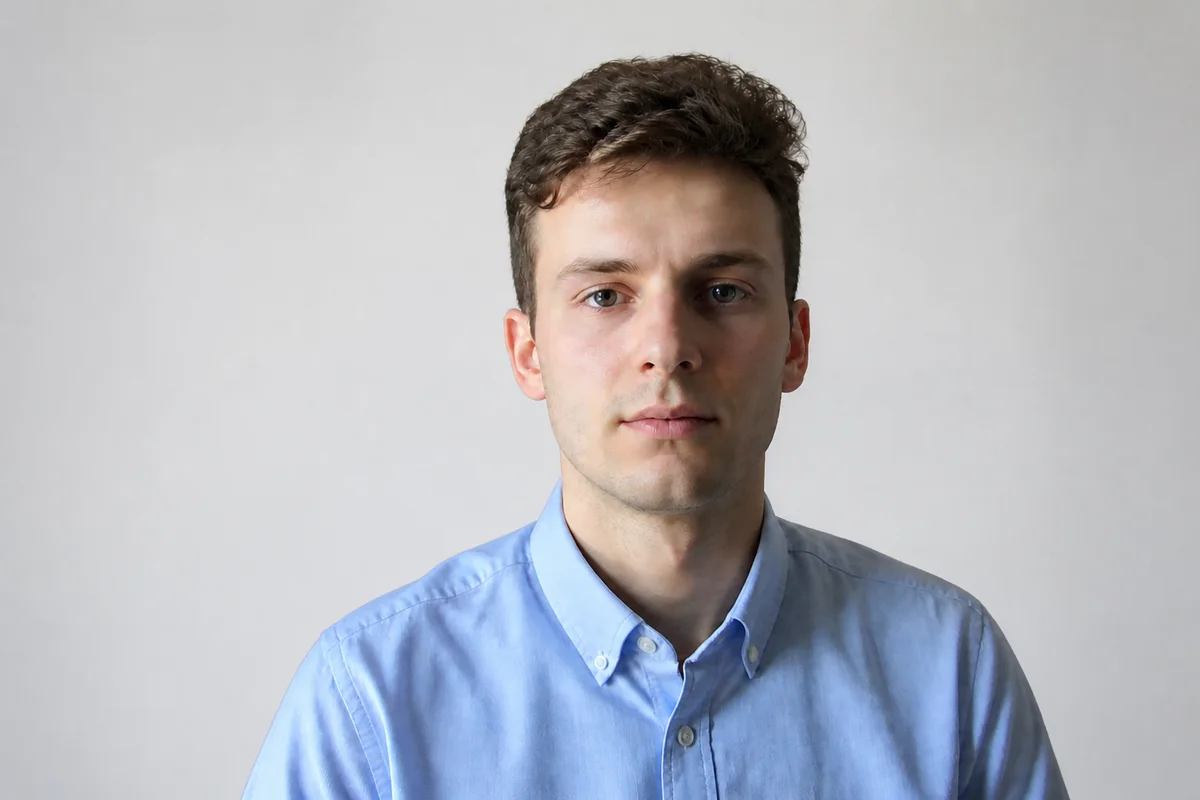
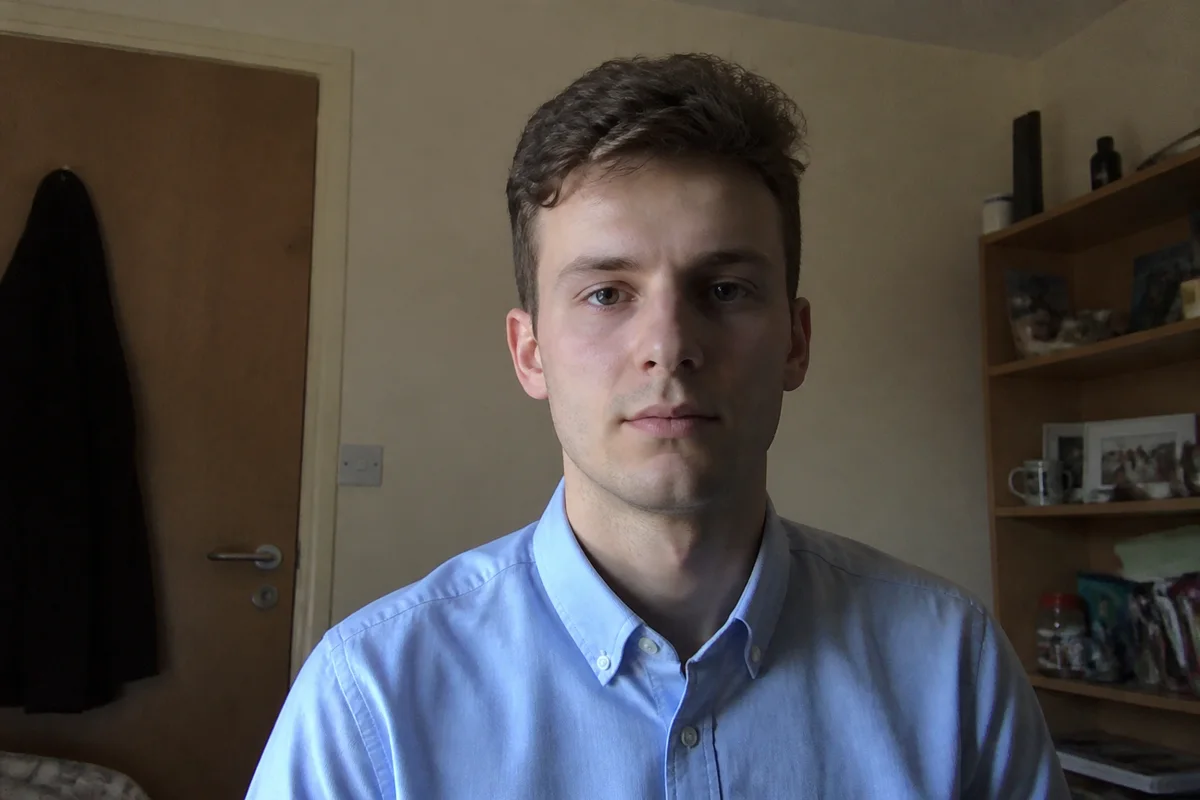
The workflow in action — drag to compare.
In many countries and industries, a CV photo is expected — and it's often the first visual impression a hiring manager gets. The photo needs to be recent, neutral, and unmistakably professional: plain background, business attire, even lighting, and a composed expression. A cropped party photo or a harshly lit webcam shot undermines an otherwise strong application.
You don't need a studio session to get there. Start with a straightforward photo taken near a window, then use AI to swap the background for a plain light backdrop, balance the lighting, tidy up temporary blemishes, and crop to the compact head-and-shoulders format CVs use.
Because application photos are small on the page, the last step matters: sharpen and export at good resolution so the photo prints and screens cleanly instead of looking like a smudge next to your name.
The problems this solves
- No recent photo that's appropriately formal — everything on the phone is casual.
- Home backgrounds (doors, shelves, kitchens) look unprofessional behind a CV photo.
- Webcam and indoor shots have uneven lighting and dull color.
- CV templates need a specific small crop that most photos weren't composed for.
A workflow that works
Swap in a plain, light background
A neutral light-gray or off-white backdrop is the convention for application photos and removes every distraction behind you.
AI Background ChangerEven out the lighting
Balanced, soft light on the face reads as professional; one-sided window shadow or overhead glare reads as a webcam grab.
AI Lighting ChangerDo light, natural retouching
Clean up temporary blemishes and shine while keeping your actual appearance — interviewers will meet the real you.
AI Face RetouchCrop to CV format
Head-and-shoulders in a tight portrait crop is what CV templates expect; reframing gets the proportions right without cutting off your head.
AI Photo ReframeFrequently asked questions
Do I even need a photo on my resume?
It depends on where you're applying. Photos are standard on CVs in much of Europe, Asia, and Latin America, but discouraged in the US, UK, and Canada, where employers avoid them for bias reasons. Check the norms for your target country and industry first.
What makes a resume photo look professional?
Recent, front-facing, neutral background, business-appropriate clothing, soft even lighting, and a composed, approachable expression. The combination matters more than any single element — a great photo on a cluttered background still reads as careless.
Can I use the same photo for LinkedIn and my CV?
Yes, and consistency actually helps recruiters connect your application to your profile. Export a square version for LinkedIn and a portrait crop for the CV from the same edited photo.
What resolution should the final photo be?
Export at least 600x800 pixels for a portrait CV photo. That's sharp enough for print at typical CV photo sizes and stays crisp when the PDF is zoomed.
Related use cases