
Use case
Edit Senior Portraits with AI
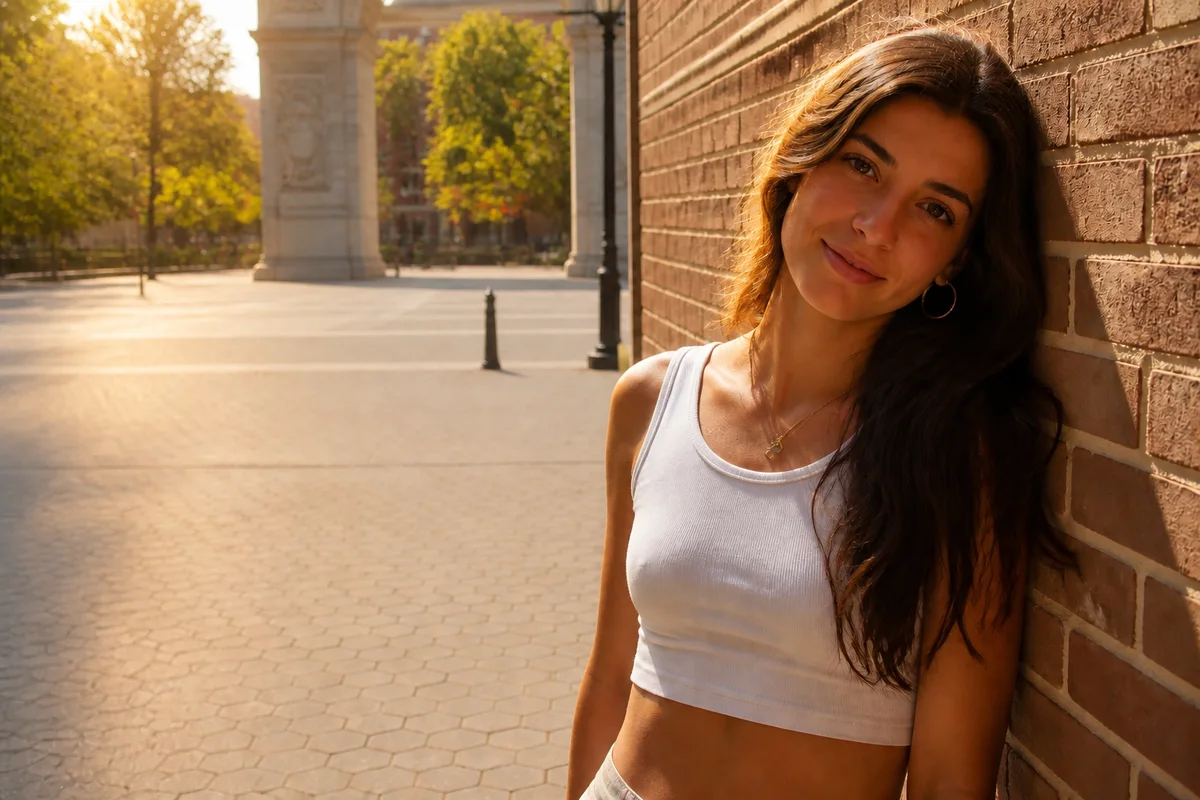
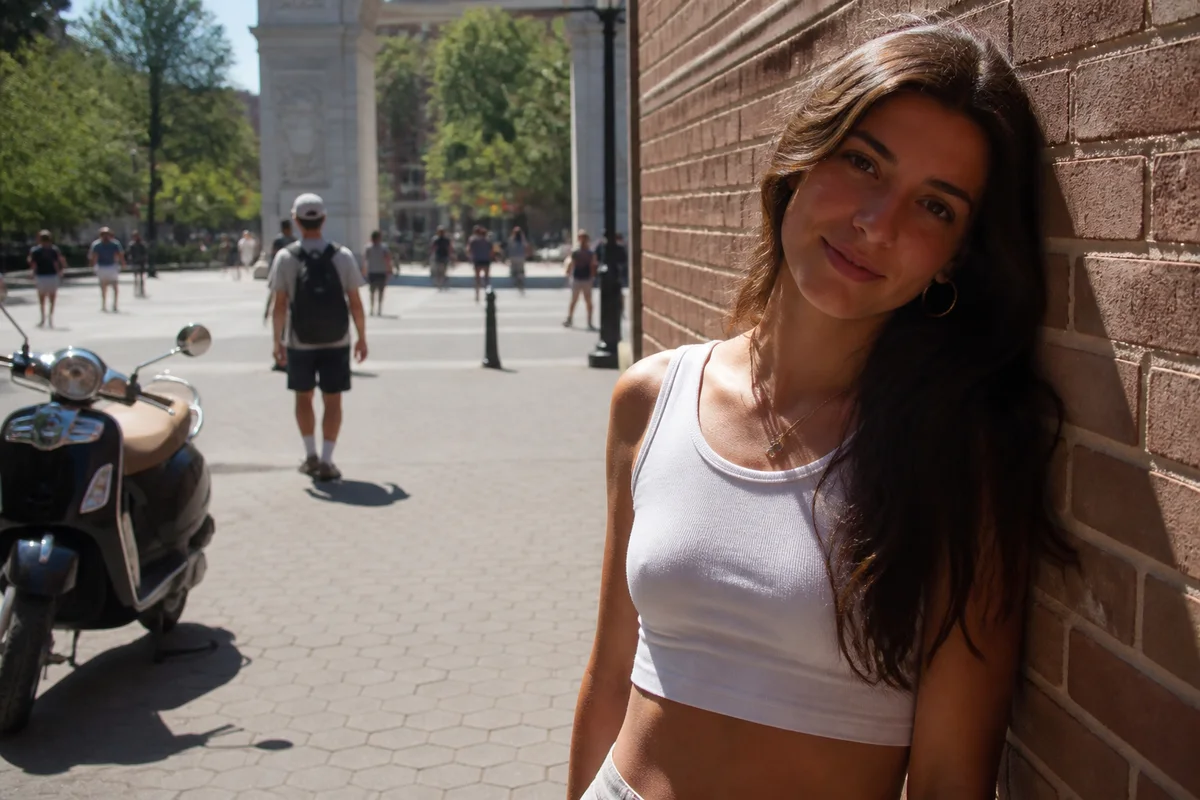
The workflow in action — drag to compare.
Senior year comes with a photo deadline: the yearbook needs one, grandparents want prints, and the graduation announcement needs a shot everyone actually likes. Studio packages are expensive, and the outdoor session with a friend holding a phone produces almosts — great expression but squinting sun, great light but a parking lot in the background.
AI editing closes the gap between the photos you have and the portraits the milestone deserves. Replace the parking lot with a clean natural or studio backdrop, soften the harsh midday shadows, apply the kind of light retouching that clears a breakout without erasing the person, and crop versions for the yearbook, the announcement card, and the wall print.
Because it all runs in the browser, a senior and a parent can sit down with thirty phone shots and leave an hour later with a finished set — no session fees, no waiting on proofs.
The problems this solves
- Studio senior sessions cost hundreds, and retakes cost more.
- DIY outdoor shoots fight harsh sun, squinting, and busy public backgrounds.
- Senior-year skin doesn't always cooperate with portrait week.
- Yearbook, announcements, and prints all need different crops from the same shot.
A workflow that works
Replace a busy background
The shot with the best smile often has cars or strangers behind it; a clean park, brick, or studio backdrop makes it portfolio-grade.
AI Background ChangerFix harsh or flat lighting
Midday sun carves shadows under the eyes and overcast light goes flat; relighting gives the soft, directional look studio portraits have.
AI Lighting ChangerRetouch skin naturally
Clear temporary blemishes and shine while keeping freckles and features — the portrait should look like the senior on a good day, not a stranger.
AI Face RetouchCrop for each destination
Yearbooks want tight head-and-shoulders, announcements want room for text, and prints want classic portrait ratios — one edit, several exports.
AI Photo ReframeUpscale for the wall print
Grandparents will frame this one; upscaling keeps a phone photo sharp at 8x10 and beyond.
AI Image UpscalerFrequently asked questions
Can a phone photo really replace a studio senior portrait?
For most uses, yes. A phone shot taken in open shade with the sun behind clouds gives the editor everything it needs — background, light, and skin cleanup are all fixable afterward. The main thing editing can't add is a genuinely relaxed expression, so shoot plenty of frames.
How much retouching is appropriate for a teenager's portrait?
Temporary things only: breakouts, shine, flyaway hair. Keep braces, freckles, scars, and everything else that makes the senior recognizable — these photos get compared to the real person at graduation all year.
What background do yearbooks usually want?
Many schools ask for a plain or consistent backdrop so the portrait page looks uniform — check the yearbook's spec first. Background replacement makes any requested color or texture possible from the same source photo.
What resolution do I need for printed announcements?
Aim for about 300 pixels per inch at print size — roughly 1500x2100 pixels for a 5x7 card. Upscale the final edit if your crop lands below that.
Related use cases