
Use case
Restore Old Family Photos with AI
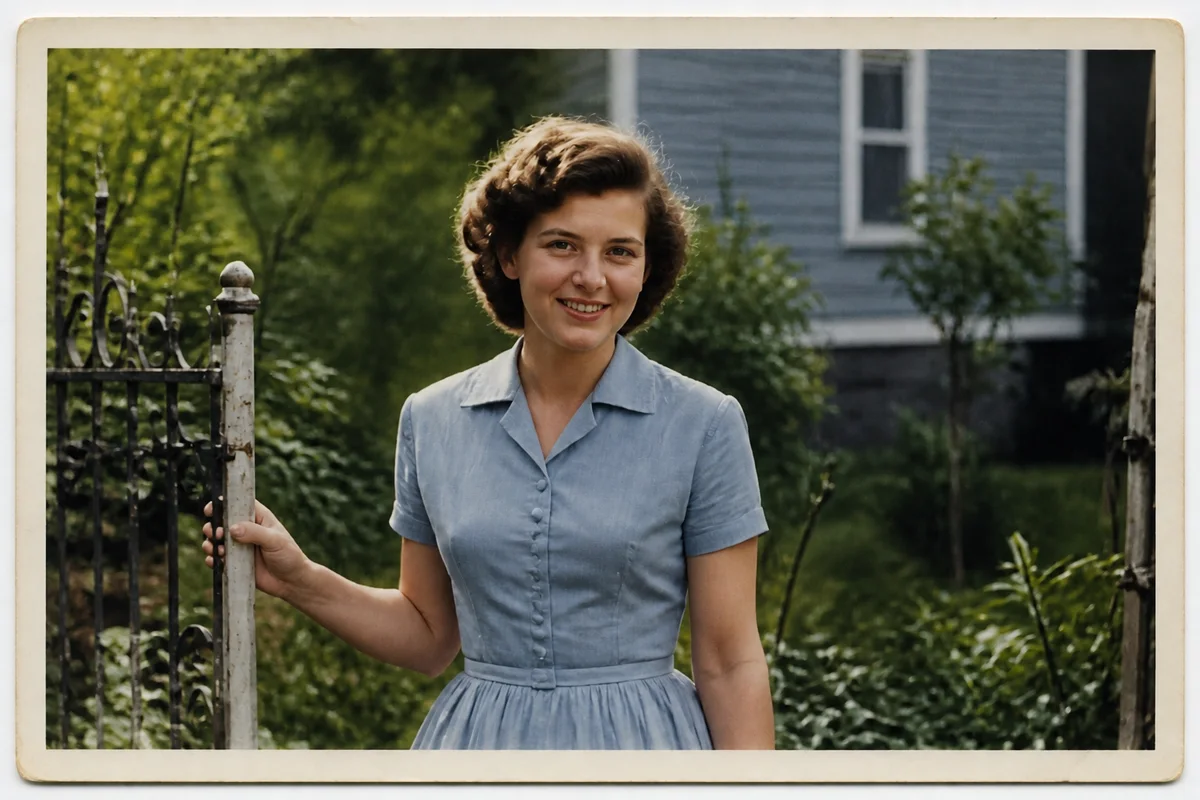
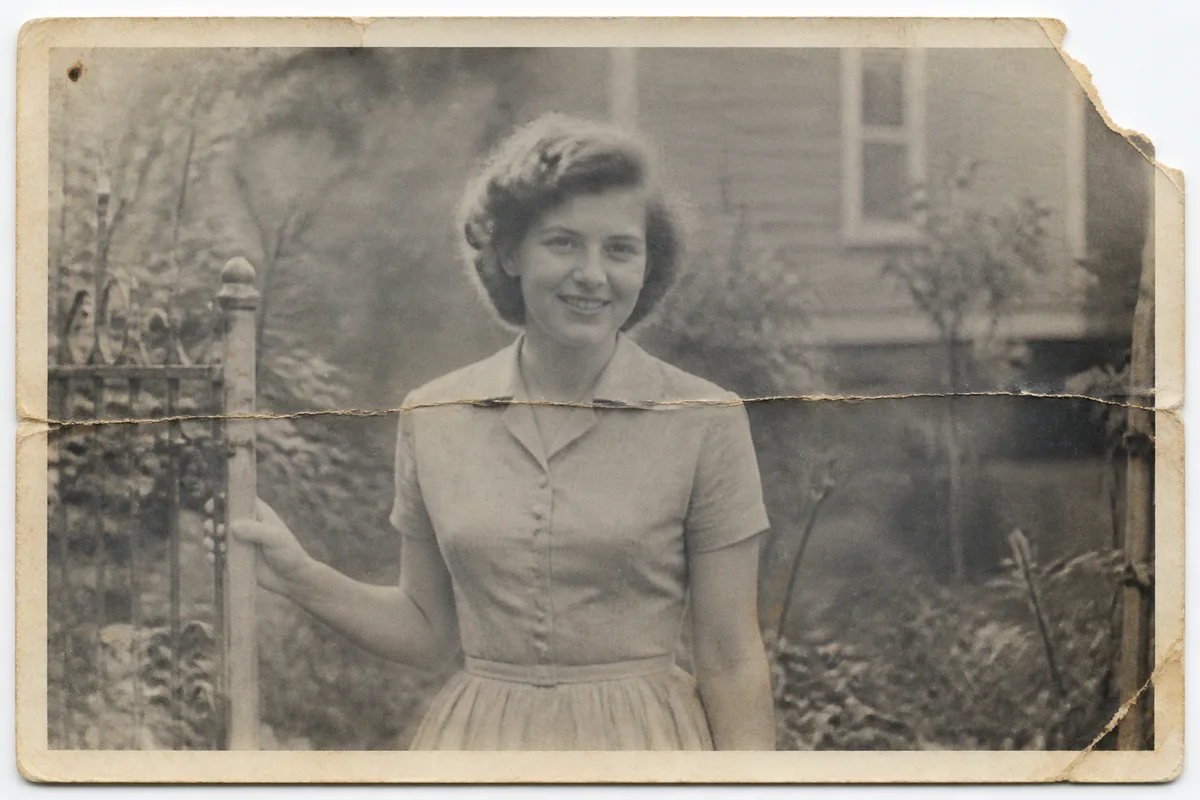
The workflow in action — drag to compare.
Somewhere in a shoebox or an album with sticky pages, your family's history is fading — literally. Prints from the 1940s through the 1990s lose contrast and color, pick up scratches and creases, and the only copy of a great-grandparent's face might be a blurry, wallet-sized print that's been through a flood or a move too many.
AI restoration does in minutes what used to require a specialist: repair tears, scratches, and water damage; recover faded contrast and color; sharpen faces that were soft in the original; and enlarge small prints into something you can actually frame. Photos that seemed beyond saving usually aren't.
Start by photographing or scanning the print flat in even light — the better the capture, the better the restoration. Then let the tools work, and export copies for every relative who's been asking about that box of photos for years.
The problems this solves
- Prints are physically damaged: creases, tears, scratches, water spots, and sticky-album residue.
- Colors have faded or shifted — everything looks washed-out, yellow, or magenta.
- The only photo of a relative is tiny, blurry, or both.
- Reprinting and enlarging a damaged original just enlarges the damage.
A workflow that works
Repair the damage and fading
Restoration handles the core problems at once — scratches, creases, spots, faded contrast, and shifted color.
AI Photo RestorationRecover faces that were soft in the original
Faces are what family members care about; enhancement reconstructs detail in eyes and features that decades blurred away.
AI Face EnhancementSharpen the fine detail
Old lenses, camera shake, and small negatives left many prints soft from the start — deblurring recovers legibility.
AI Unblur ImageEnlarge for reprinting
Upscaling turns a wallet-sized print into an 8x10-capable file, so the restored photo can go on a wall instead of back in the box.
AI Image UpscalerFrequently asked questions
How do I digitize the print without a scanner?
Photograph it with your phone: lay the print flat near a bright window (no direct sun), fill the frame, hold the phone parallel to the print, and turn off flash to avoid glare. A careful phone capture is plenty for restoration.
Can badly damaged photos — torn, water-stained, half-faded — be saved?
Usually to a surprising degree. Restoration reconstructs damaged areas from surrounding context, so even photos with significant tears or staining typically come back well. Missing pieces that include a face are the hardest case; expect a plausible reconstruction rather than a guarantee.
Can black-and-white photos be colorized?
Yes — restoration can add natural color to black-and-white originals. Colors are inferred, so they're plausible rather than historically exact. Many families keep both versions: the restored black-and-white as the record, the colorized one for display.
Will restoration change what my relatives actually looked like?
Restoration aims to recover what was in the photo, not invent a new face — but heavily damaged or very blurry faces involve reconstruction. Compare the result against other photos of the person and against relatives' memories, especially for photos of historical importance to your family.
Related use cases