
Use case
Clean Up Event Photos with AI
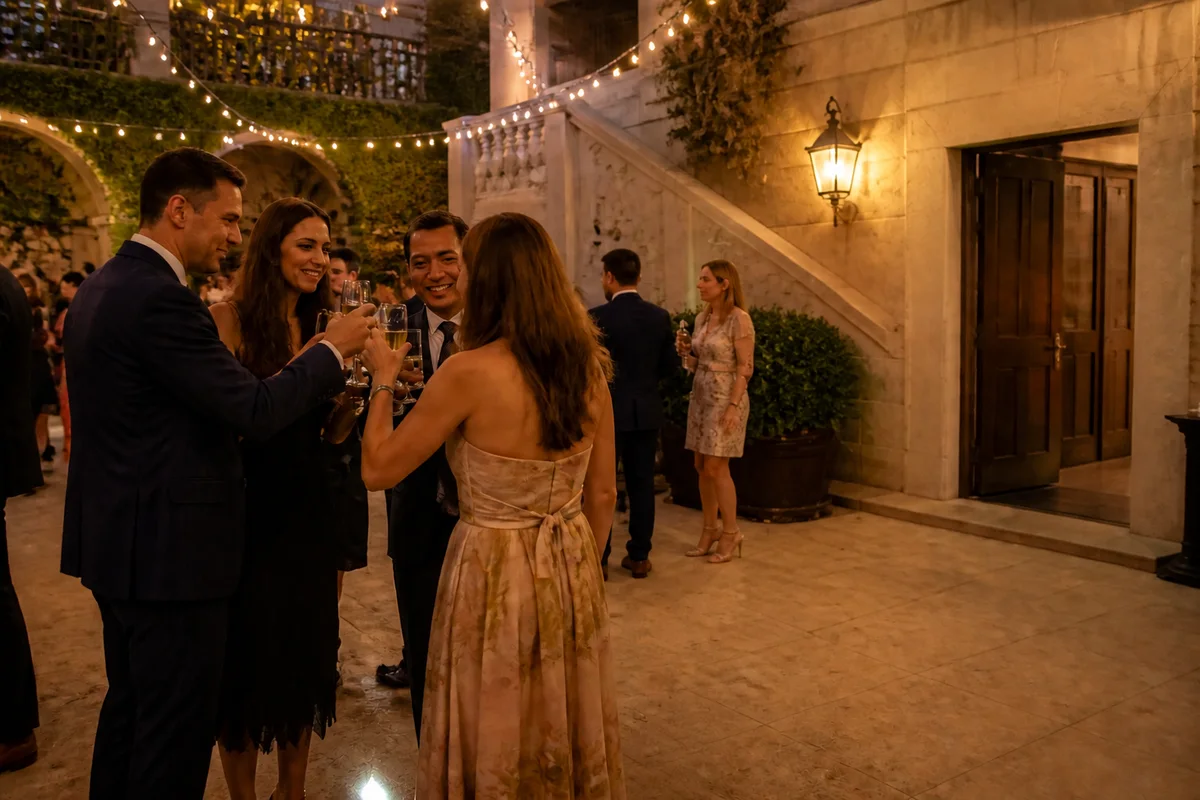
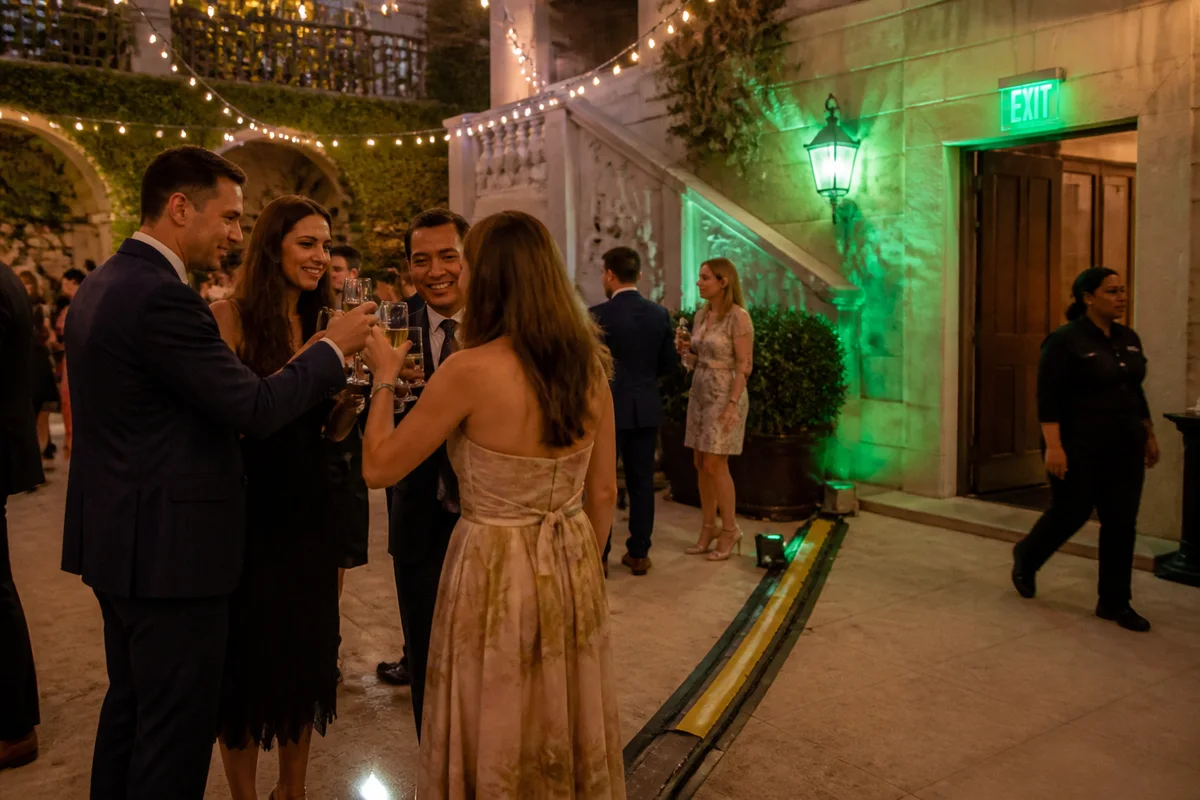
The workflow in action — drag to compare.
Event photos — conferences, galas, parties, ceremonies — are shot in venues designed for attendees, not cameras: exit signs glowing in every wide shot, cables taped across floors, catering carts in the background, and lighting that changes color from the stage to the bar. Whoever's responsible for the photos, from a hired photographer to the volunteer with the best phone, inherits all of it.
AI editing is the fast second pass that makes an event gallery usable. Strip the exit signs and cables from the keeper shots, remove the guest who wandered through the ceremony frame, tame the mixed lighting so skin tones are consistent across the gallery, and sharpen the stage shots taken from the back of the room.
For organizers, the payoff is marketing material for next year's event; for photographers, it's delivering a cleaner gallery without hours of manual cloning.
The problems this solves
- Exit signs, cables, and AV equipment appear in nearly every venue wide shot.
- Guests and staff constantly walk through the backgrounds of key moments.
- Lighting shifts color across the venue, making the gallery look inconsistent.
- Stage and speaker shots from the back of the room come out soft and dim.
A workflow that works
Remove venue distractions
Exit signs, taped cables, and catering carts disappear from the keepers — the edits that most visibly professionalize a gallery.
AI Object RemoverRemove background walkers
The staff member crossing behind the award handshake doesn't need to be in the organization's photo of the year.
AI Person RemoverUnify the color across the gallery
Correcting the stage-light and bar-light color shifts makes a hundred photos from one night look like one event.
AI Color CorrectionFix the dim stage shots
Speakers lit by projector glow recover to publishable with relighting — often the shots the client wants most.
AI Lighting ChangerSharpen the long-distance keepers
Back-of-room zoom shots of the stage tighten up enough for the recap post and next year's marketing.
AI Image SharpenerFrequently asked questions
How do I prioritize which event photos to clean up?
Edit the shots that will actually be used: the hero shots for marketing and recap posts, the award/speaker moments, and the best crowd atmosphere shots. A typical event needs 15 to 30 cleaned selects, not 400 edited frames.
Can a guest be removed if they're partially behind the main subject?
Partial overlap is the hard case — someone fully behind or beside the subject removes cleanly, while a person whose arm crosses the subject may leave artifacts. Check for an adjacent frame where the overlap is smaller.
The venue's LED uplighting turned everyone purple. Recoverable?
Mostly, yes. Color correction recovers natural skin tones while letting some ambient color remain for atmosphere. Fully saturated single-color lighting (pure red club light) is the hardest case — recover the best frames and embrace the look on the rest.
If I'm a photographer, is AI cleanup appropriate for client deliveries?
Object and distraction removal is standard retouching, whatever tool performs it. Deliver at the quality bar you'd hand-clone to, disclose composites if your contract requires, and keep originals archived as usual.
Related use cases