
Enhance
AI Color Correction
Fix white balance, exposure, and color casts automatically
Free credits on signup — no credit card required.
- 1Upload a photo with color or exposure problems
- 2The AI neutralizes casts and rebalances tones and exposure
- 3Compare against the original and download the corrected photo

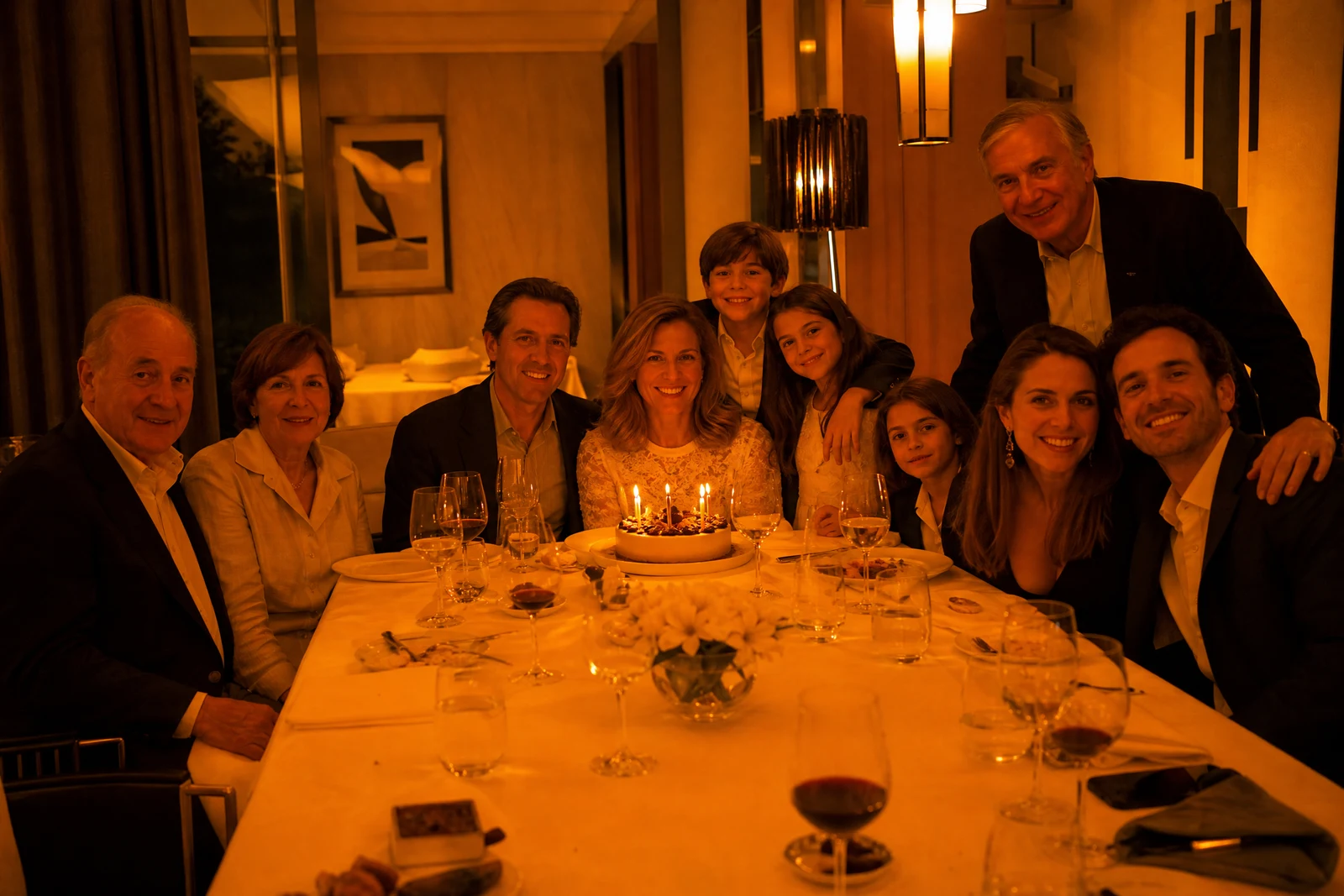
Real output from the editor — drag to compare.
Cameras guess. Indoor tungsten light turns photos orange, fluorescent tubes push them green, shade goes blue, and mixed lighting confuses auto white balance entirely. Add an exposure miss and you have a photo whose colors do not match what your eyes saw. Color correction is the craft of undoing those guesses, and it is normally the first stage of any professional edit.
This tool performs that stage automatically. The AI identifies the cast and neutralizes it, sets a true white point, recovers detail from crushed shadows and clipped-looking highlights, and balances saturation so skin stays natural while the overall cast is reduced. Unlike a one-slider auto-enhance, the corrections are applied where they are needed rather than globally, so fixing a dim foreground does not blow out the sky.
Run it as a finishing step on everyday photos or as a first pass before other tools; corrected color makes retouching, background changes, and upscaling all behave better. Low, medium, and high quality tiers are available, and the default handles typical photos well.
Why this tool
- Chain the result into any of the other tools
- Standard, Pro and Max quality tiers
- Results land in your creations library
- Upscale to print size or turn into video
Frequently asked questions
What problems does it actually fix?
Color casts from artificial or mixed lighting, incorrect white balance, under- and over-exposure, flat contrast, and dull or oversaturated color. It aims to restore the scene as it looked in person.
Will it change the style of my photo?
No, it is corrective rather than stylistic: the target is accurate, balanced color. For a deliberate look, run Color Correction first, then apply Change Lighting or Style Transfer on the clean base.
How does it treat skin tones?
Skin is handled conservatively. The correction removes casts on skin without pushing it toward a generic tone, so the person in the photo still looks like themselves under neutral light.
My photo is very dark. Can it recover the detail?
Shadow recovery works whenever the sensor captured some data, which covers most underexposed shots. Pure black regions with no recorded detail cannot be recovered, only plausibly filled, so extreme cases will look enhanced rather than restored.
Can I try AI Color Correction for free?
Yes — every new account starts with 4 free credits, enough to run this tool once at Standard quality. No credit card required.
Related tools