
Use case
Edit Baptism and Christening Photos with AI
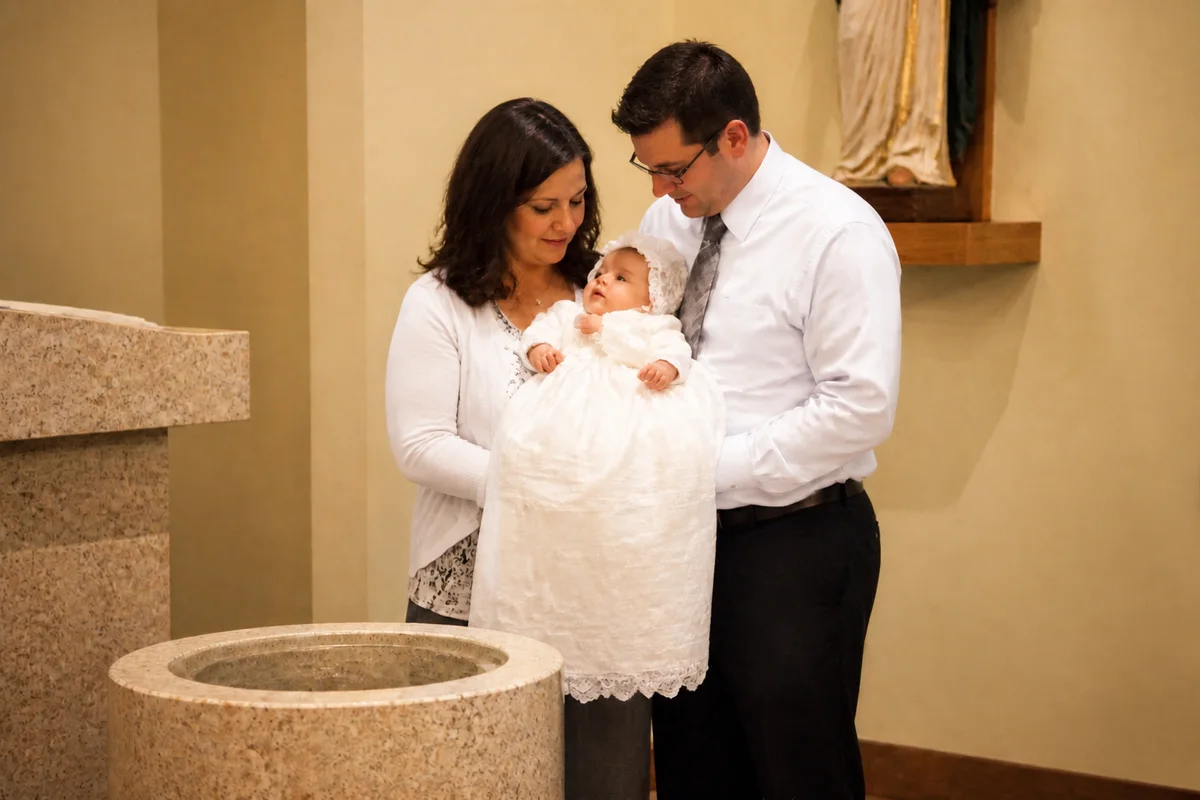
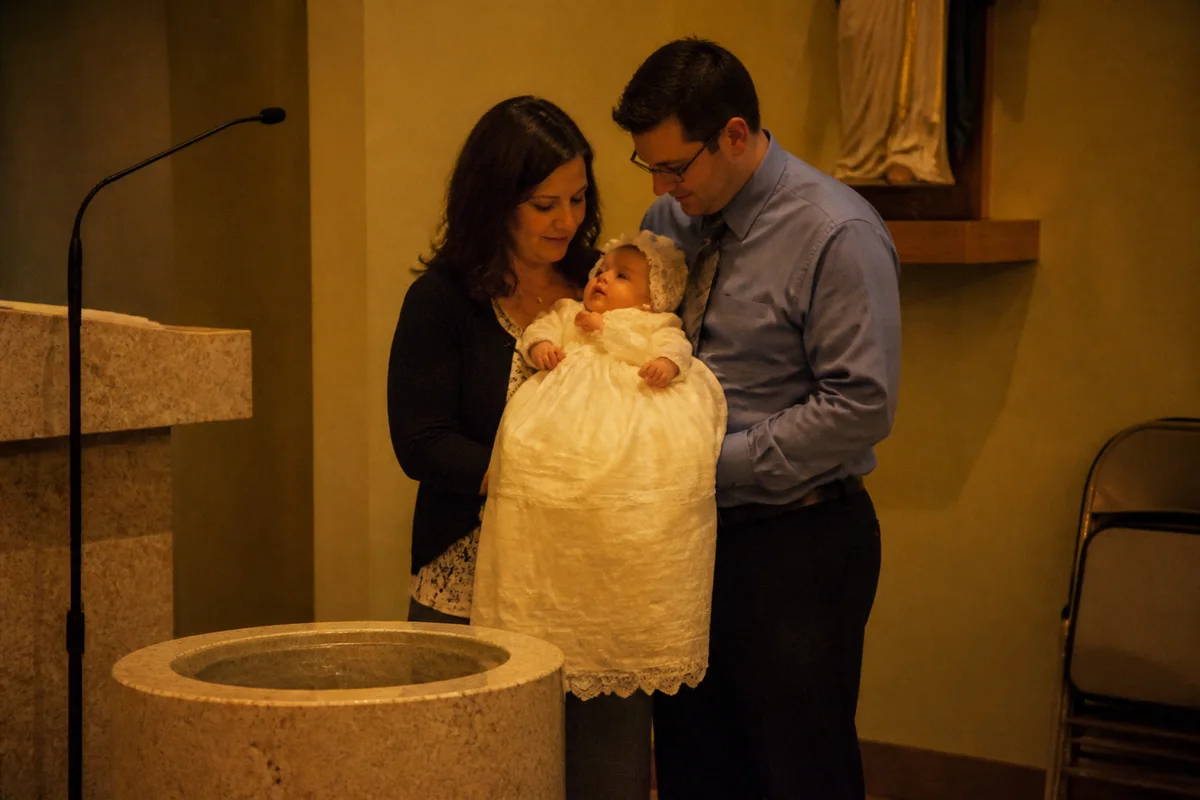
The workflow in action — drag to compare.
Baptisms and christenings happen in some of the hardest light there is: dim sanctuaries, warm tungsten fixtures, stained-glass color spill, and a no-flash rule during the sacrament itself. The photos of a once-in-a-lifetime rite come out dark, grainy, and orange — and the white gown that's been in the family for three generations photographs yellow.
AI editing recovers the day. Brighten the font-side shots without the flash that was never allowed, correct the warm cast so the gown reads white again, remove the exit sign and the microphone stand from behind the priest, and enlarge the best frame for the keepsake print that will outlive everyone's phones.
The same edits serve the reception photos afterward — mixed indoor light, busy hall backgrounds, and the big family group shot where someone always blinks.
The problems this solves
- No-flash rules plus dim sanctuary lighting produce dark, grainy ceremony photos.
- Tungsten fixtures turn white christening gowns and dresses yellow.
- Microphone stands, exit signs, and folding chairs clutter the backgrounds of sacred moments.
- The family wants prints, but the best frames are small, soft crops from the pews.
A workflow that works
Brighten the ceremony shots
Relighting recovers the font and altar moments that no-flash rules left underexposed, without the harshness flash would have added.
AI Lighting ChangerRestore the gown to white
Warm church lighting yellows whites; correction reduces the cast on the gown and the linens.
AI Color CorrectionRemove background distractions
Erase the mic stands, signage, and stacked chairs so the frame holds the family, the officiant, and the moment.
AI Object RemoverEnlarge the keepsake frame
The photo that goes in the family Bible or on grandma's wall needs print resolution, not pew-distance phone resolution.
AI Image UpscalerFrequently asked questions
Our ceremony photos are dark and grainy. How much can editing recover?
Quite a lot — relighting brightens underexposed frames and recovers faces that looked lost in shadow. Very dark, very grainy shots improve substantially but won't match a well-lit original, so edit the best-exposed frames first.
The white gown looks yellow in every photo. Is that fixable?
Yes, that's a classic tungsten color cast and correction removes it cleanly. Check skin tones after the fix — a good correction makes both the gown white and the faces natural at the same time.
Can I remove people from the background of the font photos?
Other guests and staff off to the side remove cleanly. Keep the people who belong in the record — godparents, clergy, family — and clear only the accidental background traffic.
What size should a keepsake print be?
5x7 and 8x10 are the common framing sizes; aim for about 300 pixels per inch, so roughly 2400x3000 for an 8x10. Upscale the edited photo if the crop falls short.
Related use cases