
Use case
Edit Rental Listing Photos with AI
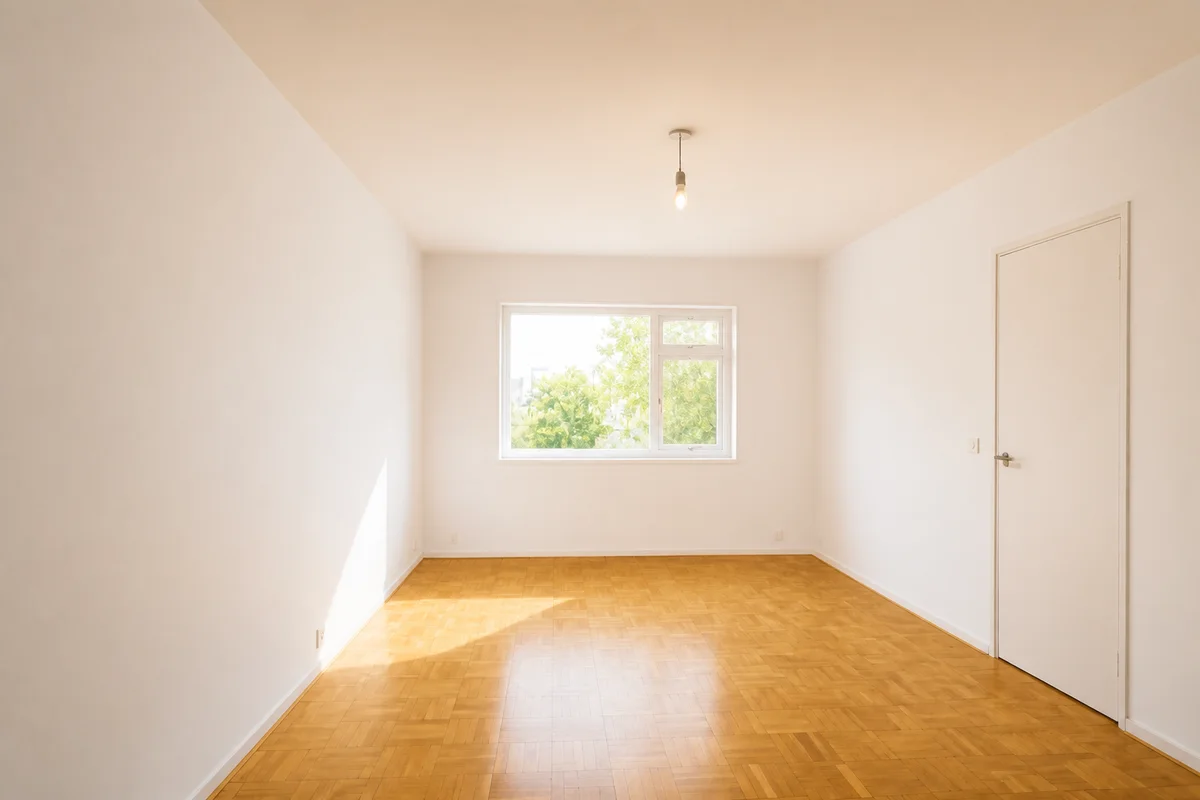
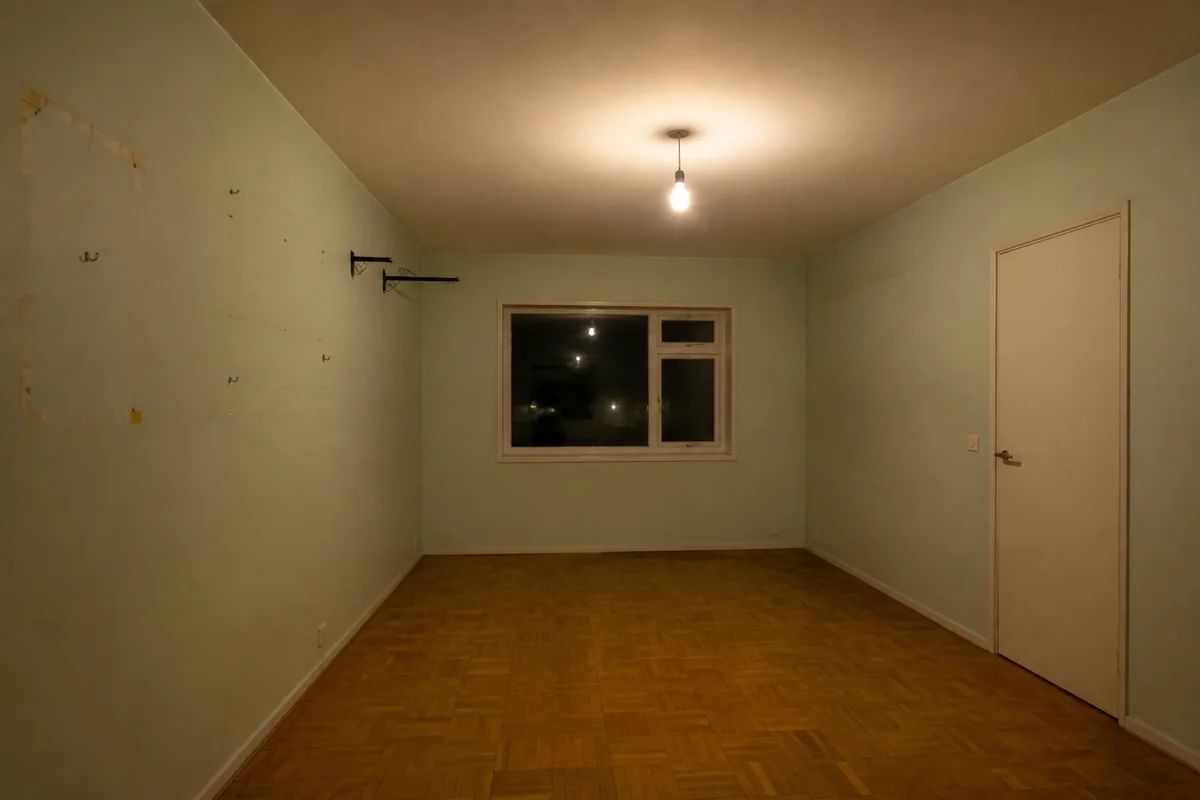
The workflow in action — drag to compare.
Every vacant month costs a landlord real money, and the listing photos do most of the work of filling a unit. The typical rental gets photographed in the worst possible state: empty rooms that echo visually, walls scuffed from the move-out, the previous tenant's curtain rods and command strips still visible, and bare-bulb lighting because the lamps left with the furniture.
AI editing turns turnover-day photos into listing photos worth clicking. Brighten the bare-bulb rooms into something warm, remove the leftover traces of the last tenancy, correct the color so the walls read as the clean white they actually are, and crop consistent landscape frames for the listing portals.
Done once, done well, the same photo set fills the unit for years of turnovers — which is exactly why it's worth an hour of editing now.
The problems this solves
- Empty rooms photograph cold, echoey, and smaller than they are.
- Move-out leftovers — nails, strips, odd curtain hardware — show in every frame.
- Bare bulbs and blinds-filtered light give units a dim, greenish cast.
- The same photos need to work across multiple listing portals with different crops.
A workflow that works
Brighten and warm the empty rooms
Warm, bright light is what makes an empty unit feel like a home instead of a vacancy.
AI Lighting ChangerRemove move-out leftovers
The previous tenant's hooks, strips, and stray hardware disappear, so the unit photographs as move-in ready.
AI Object RemoverCorrect the wall color
Fluorescent and blinds-filtered light turns white walls green or gray; correction shows the actual paint.
AI Color CorrectionCrop consistent frames
Uniform landscape crops across every room make the listing gallery look professionally managed.
AI Photo ReframeFrequently asked questions
Should I photograph the unit empty or furnished?
Empty-but-bright beats cluttered-but-furnished. If you can stage even lightly, do; if not, editing an empty unit for warmth and brightness gets most of the benefit. Never use the previous tenant's furnished photos without their consent.
Can I reuse the same photos for every vacancy?
Yes — that's the payoff of editing one good set. Just make sure the photos still match the unit's current condition; if you've renovated or the unit has changed, reshoot rather than advertise a unit that no longer exists.
What's off-limits when editing rental photos?
Anything a tenant will discover at the viewing: don't erase damage, hide wear, or overstate the space's size and light. Fixing photo conditions is fine; fixing the unit in pictures only leads to wasted viewings and distrust.
Which photo should lead the listing?
The brightest, widest shot of the main living space usually wins clicks — kitchen if it's the strong suit. Lead with the room a renter will imagine living in, not the building exterior.
Related use cases