
Use case
Edit For-Sale-By-Owner Home Photos with AI
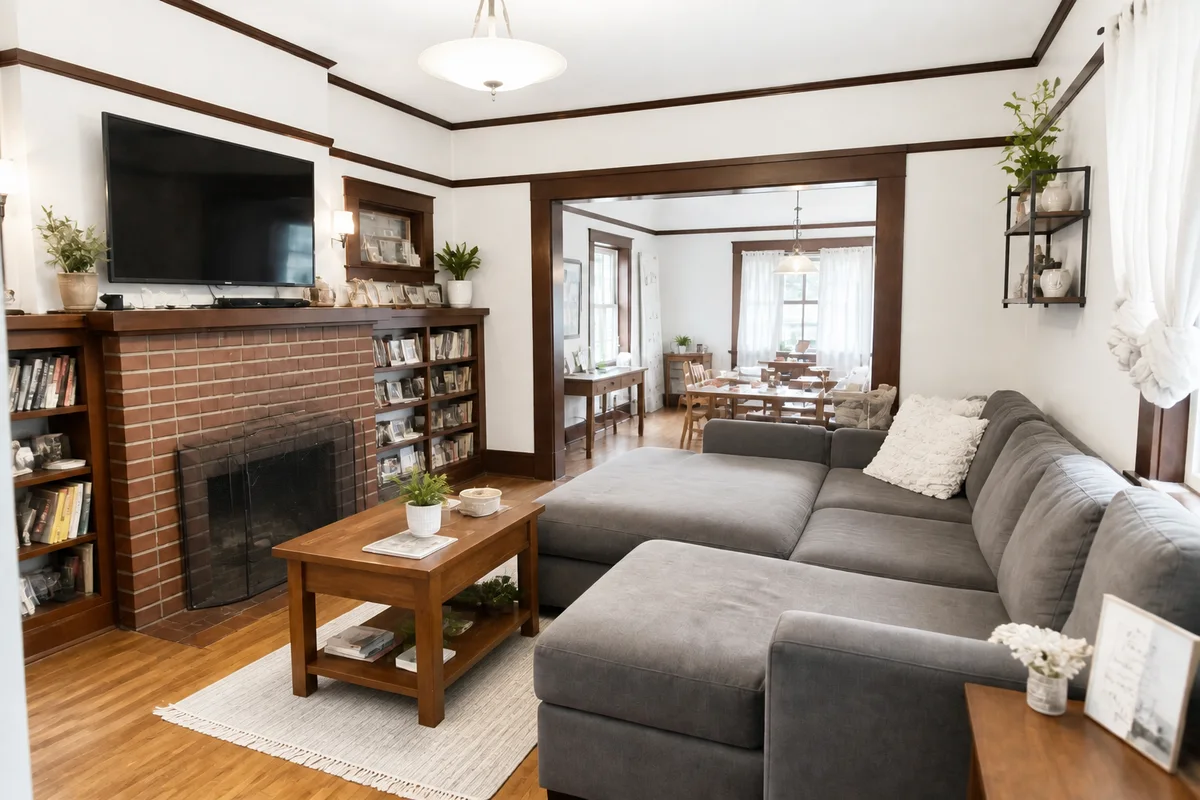
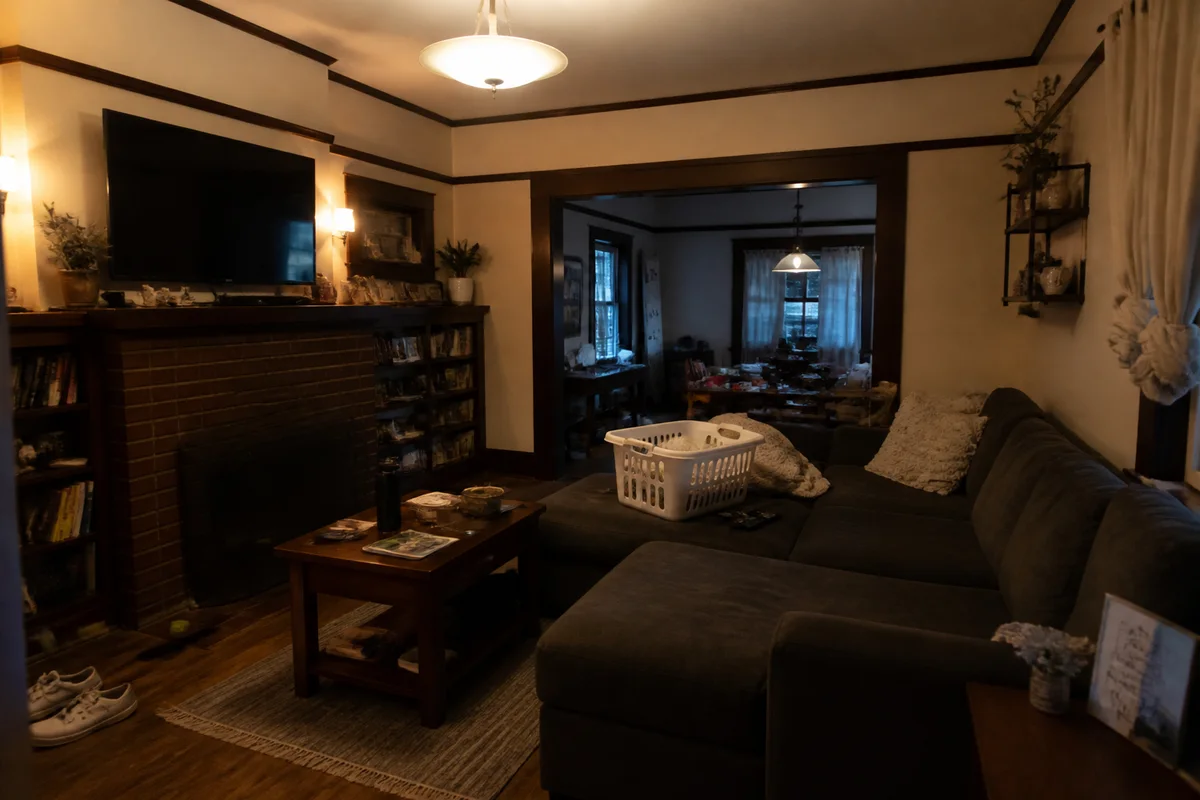
The workflow in action — drag to compare.
When you sell your own home, you're competing directly with agent listings that used professional photographers — and buyers scrolling a portal judge your house by its thumbnails just as harshly. The FSBO seller's toolkit is usually a phone, an afternoon, and rooms that photograph darker and yellower than they look in person.
AI editing levels the field. Replace the overcast sky behind your exterior shot, brighten the living room so it reads spacious, remove your cars from the driveway and the garden hose from the lawn, and correct the mixed indoor lighting that makes white walls look orange. The photos come out looking professionally shot because the same fixes are exactly what listing photographers do in post.
One rule keeps you safe: edit presentation, not substance. Skies, brightness, and your own clutter are fair game; hiding real defects a buyer will find at the inspection is not.
The problems this solves
- FSBO listings sit next to agent listings shot by professionals.
- Interior phone shots come out dark, yellow, and smaller-feeling than the rooms.
- Cars, bins, hoses, and everyday clutter fill the exterior frames.
- Overcast shoot days flatten curb appeal under a gray sky.
A workflow that works
Replace the gray sky
Blue sky behind the house is the standard listing look, and it's the single biggest upgrade to your curb-appeal shot.
AI Sky ReplacementBrighten the interiors
Bright rooms read as bigger and cleaner — the two things portal browsers scan for in the first three seconds.
AI Lighting ChangerRemove cars and clutter
Vehicles, bins, and yard items date the photos and distract from the property; clearing them is standard practice.
AI Object RemoverFix the color cast
Mixed bulb-and-window light turns walls orange and shadows blue; correction makes the house look the way it does in person.
AI Color CorrectionWiden tight rooms
Expanding the canvas turns a cramped vertical phone shot into the wide landscape frame listing portals favor.
Generative ExpandFrequently asked questions
Is it legal and ethical to edit my own listing photos?
Enhancing light, sky, and color and removing temporary items is standard across the industry. The line: don't remove permanent defects, alter structures, or fabricate views — buyers tour the property in person, and materially misleading photos can have legal consequences.
What order should I shoot and edit the house?
Shoot every room plus two or three exteriors in one bright midday session, then edit for consistency: same brightness and color treatment across all photos. A uniform set reads as professional even from a phone.
How many photos does a FSBO listing need?
Cover every space — exterior front and back, each bedroom, each bathroom, kitchen, living areas, and any standout feature. Portals reward complete sets, and buyers distrust listings with missing rooms.
What size should the photos be for listing portals?
Landscape orientation around 1500 to 2048 pixels wide suits most portals. Upscale anything soft, and lead with your best exterior or brightest living-space shot.
Related use cases