
Use case
Edit Furniture Flip Photos with AI
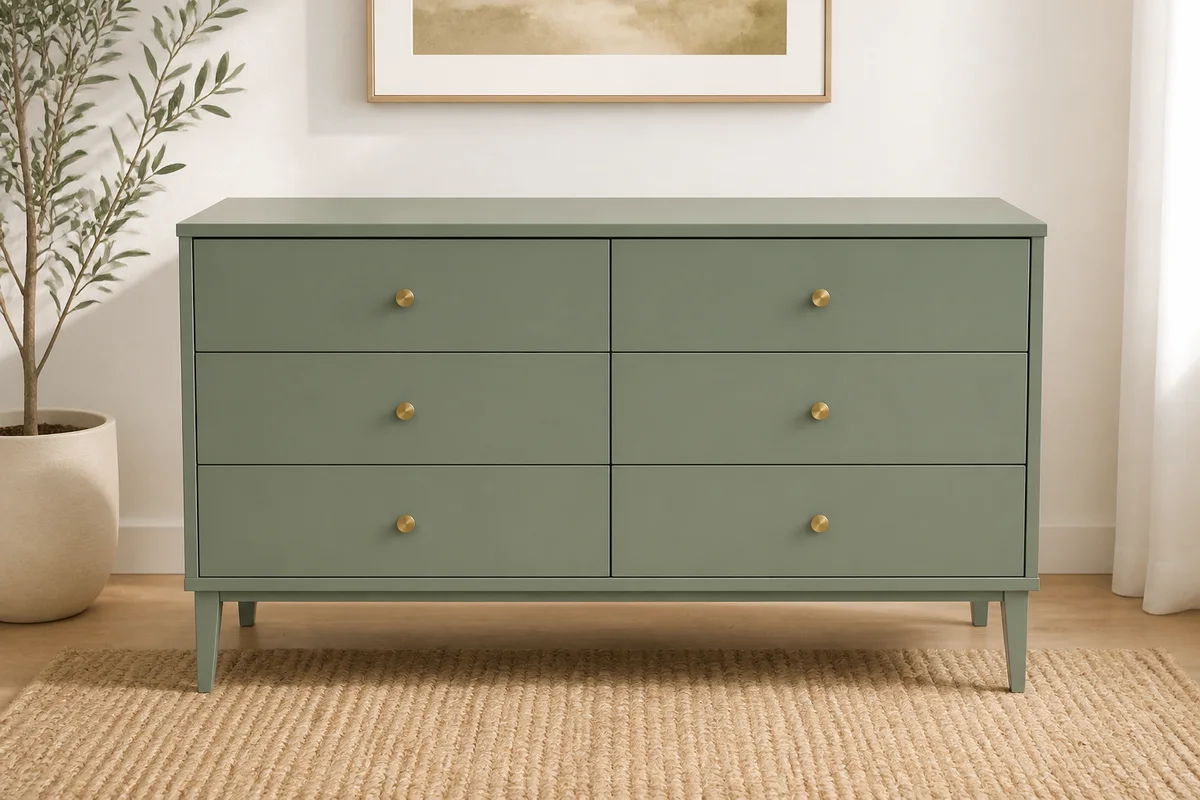
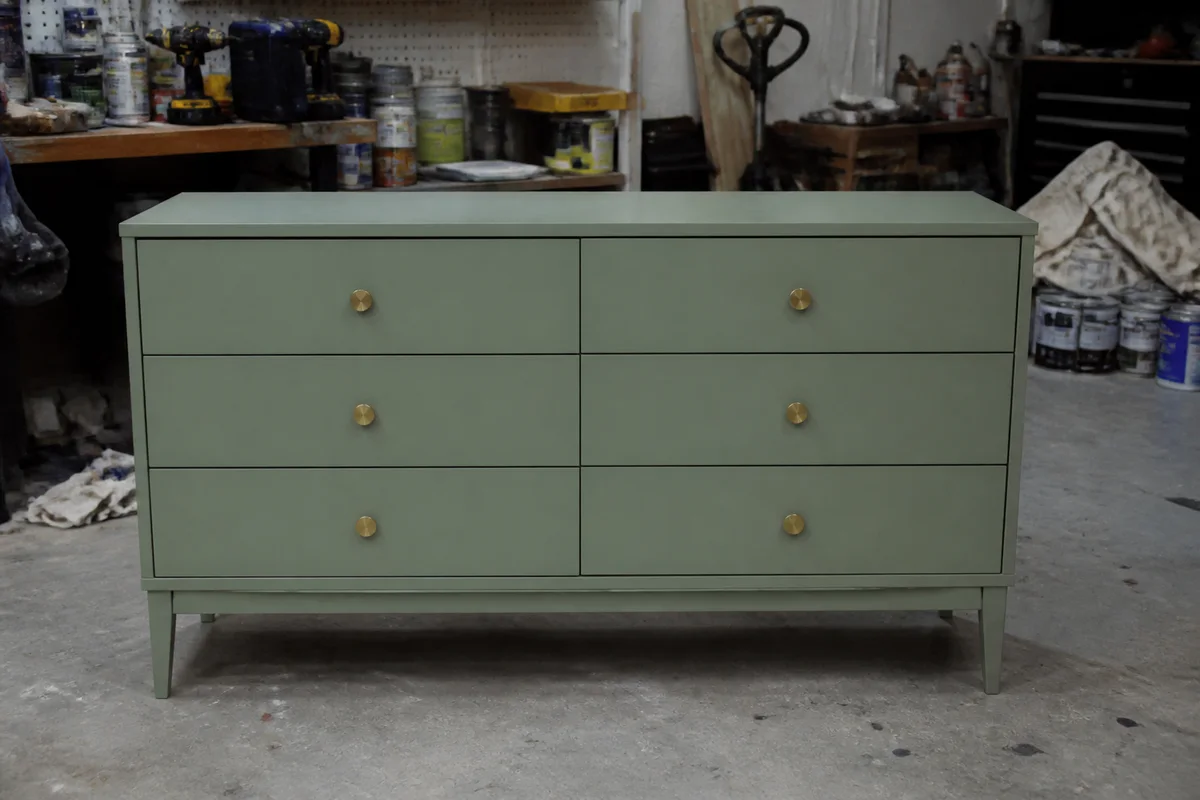
The workflow in action — drag to compare.
You spent a weekend sanding, painting, and waxing a dresser into something beautiful — and then photographed it in the same garage where you restored it, surrounded by drop cloths, paint cans, and a shop vac. Marketplace buyers scroll past workshop clutter, and the chalk-paint color you agonized over shifts unrecognizably under fluorescent shop lights.
AI editing finishes the flip. Move the piece from the garage onto a clean wall or into a styled room setting, correct the shop-light cast so the paint color online matches the paint color in person, brighten the shots so the finish and hardware read clearly, and clear the sales photos of every trace of the workshop.
The before-and-after pair deserves attention too: a well-lit before photo showing the piece's true starting condition next to a clean after shot tells the story that justifies your price.
The problems this solves
- Garage and workshop backgrounds bury a finished piece in project clutter.
- Fluorescent shop lights shift the carefully chosen paint colors.
- Marketplace buyers judge pieces by thumbnails against staged competitor photos.
- Before-and-after posts lose impact when both shots look like the same messy garage.
A workflow that works
Stage the piece digitally
A clean wall or styled room setting shows buyers the piece in their home, not in your workshop.
AI Background ChangerFix the shop-light color cast
The chalk-paint sage that fluoresces gray-green sells only when it photographs as the sage it is.
AI Color CorrectionBrighten to show the finish
Soft, bright light reveals the smooth finish and hardware detail your hours of work produced.
AI Lighting ChangerClear the remaining clutter
Stray drop cloths, cans, and cords disappear from the frame so nothing competes with the piece.
AI Object RemoverFrequently asked questions
Is placing furniture in a digital room setting misleading?
Staging the setting is presentation, like a showroom — but don't edit the piece itself. Compare the edited color and finish against the real item, photograph condition separately, and include at least one straightforward photo with a tape measure or dimensions.
How do I make my before-and-after posts hit harder?
Brighten the before shot so the piece's original condition is plainly visible, then give the after shot the full treatment — staged background, corrected color. Same angle in both frames doubles the effect.
The paint color never photographs right. What fixes it?
Shoot in natural light rather than under shop lights when possible, then reduce the remaining cast. Painted furniture is a color purchase — compare the edited photo with the actual paint and re-edit or re-shoot before listing.
What photos does a furniture listing need?
Front, both angles, top surface, drawers or doors open, hardware closeup, and any flaws you're disclosing. Lead with the staged hero shot; keep the rest bright and clearly lit, with flaws photographed separately.
Related use cases