
Use case
Edit Craft Fair and Market Vendor Photos with AI
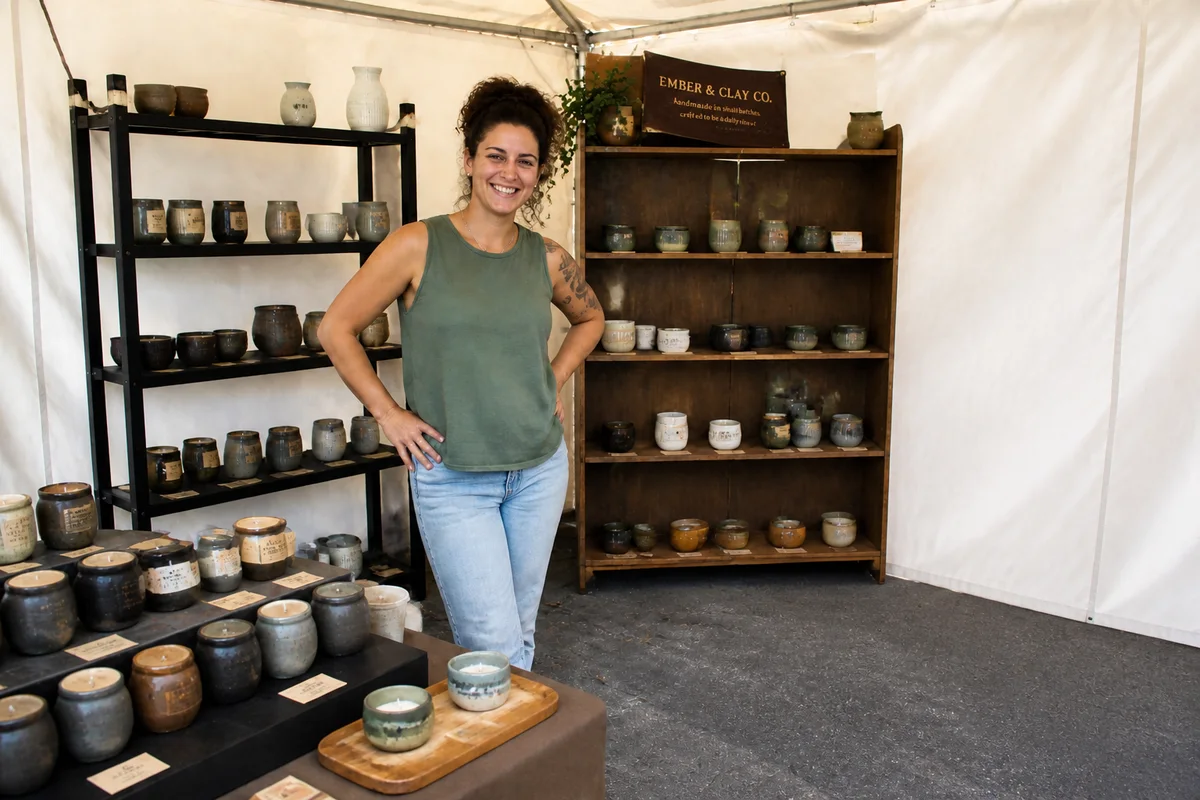
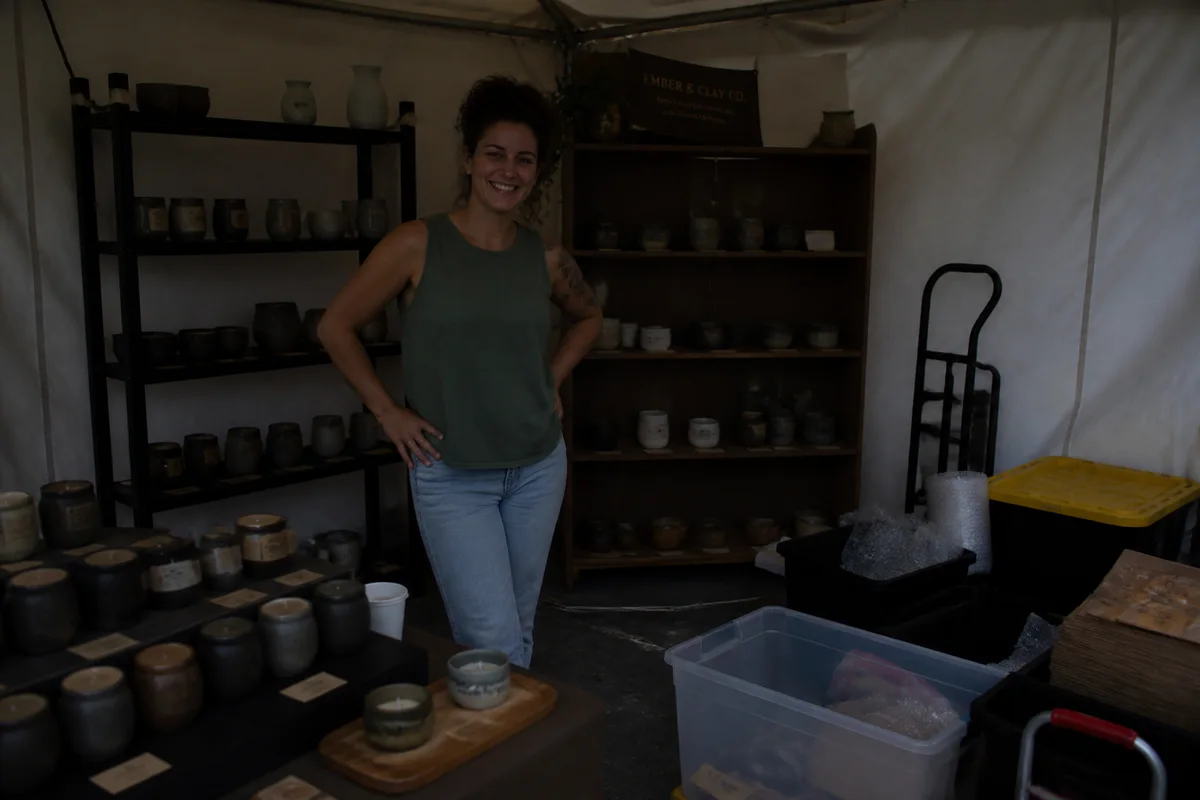
The workflow in action — drag to compare.
Craft fair vendors live a double photographic life: product photos for the online shop and social media, and booth photos for the jury applications that decide which markets you get into. Both usually get taken in the worst conditions — products photographed on the workbench between orders, booth shots snapped during setup under a market tent's weird half-light.
AI editing covers both jobs. Clean up product shots — background gone or replaced, colors corrected so the dyed yarn and glazed ceramics look true, details sharpened for zooming shoppers. Then fix the booth photo that juries judge you by: brighten the tent shadow, remove the neighbor's encroaching table and the setup clutter, and straighten the composition.
Between markets, the same edited product photos feed your Instagram, your online shop, and the flyer for your next event — one shooting session, every channel covered.
The problems this solves
- Product photos get taken on the workbench in whatever light the studio has.
- Jury applications require booth photos, and yours was taken mid-setup in tent shadow.
- Handmade colors — dyes, glazes, finishes — photograph inaccurately indoors.
- The same photos need to serve the online shop, social media, and printed flyers.
A workflow that works
Clean up product backgrounds
Workbench shots become clean catalog images usable in the shop, on social, and in applications.
AI Background RemoverBrighten the booth photo
Market-tent shadow makes booths look dingy in jury photos; relighting shows the booth as shoppers see it.
AI Lighting ChangerRemove setup clutter from booth shots
Bins, hand trucks, and the neighbor's table edge disappear, leaving the display juries want to evaluate.
AI Object RemoverCorrect the colors of handmade goods
Accurate dye and glaze colors are the product; correction makes the photo match what the customer receives.
AI Color CorrectionUpscale for flyers and applications
Jury portals and printed flyers both benefit from high-resolution files phone shots need help reaching.
AI Image UpscalerFrequently asked questions
What do craft fair juries look for in booth photos?
A full, organized display that shows your range and looks like it belongs at their event — clear sight lines, coherent branding, no clutter. A brightened, decluttered photo of your real booth presents your actual setup at its best.
I don't have a booth photo because I'm applying to my first fair. Options?
Many juries accept a staged display: set up your table and fixtures at home as they'd appear at market, photograph it in good light, and edit out the garage background. Represent equipment you actually own — the jury expects to see this booth at the event.
How do I make product photos consistent across many different items?
Photograph everything in one session in one spot, then apply the same treatment: same background choice, same color correction, same crop style. A visually consistent catalog makes a one-person operation look like a brand.
Can the same photos work for both my shop listings and printed materials?
Yes — edit each product photo once at high resolution, upscale, and export per use: square for listings and Instagram, high-res for print flyers, and whatever dimensions each application portal requests.
Related use cases