
Use case
Edit Small Business Marketing Photos with AI
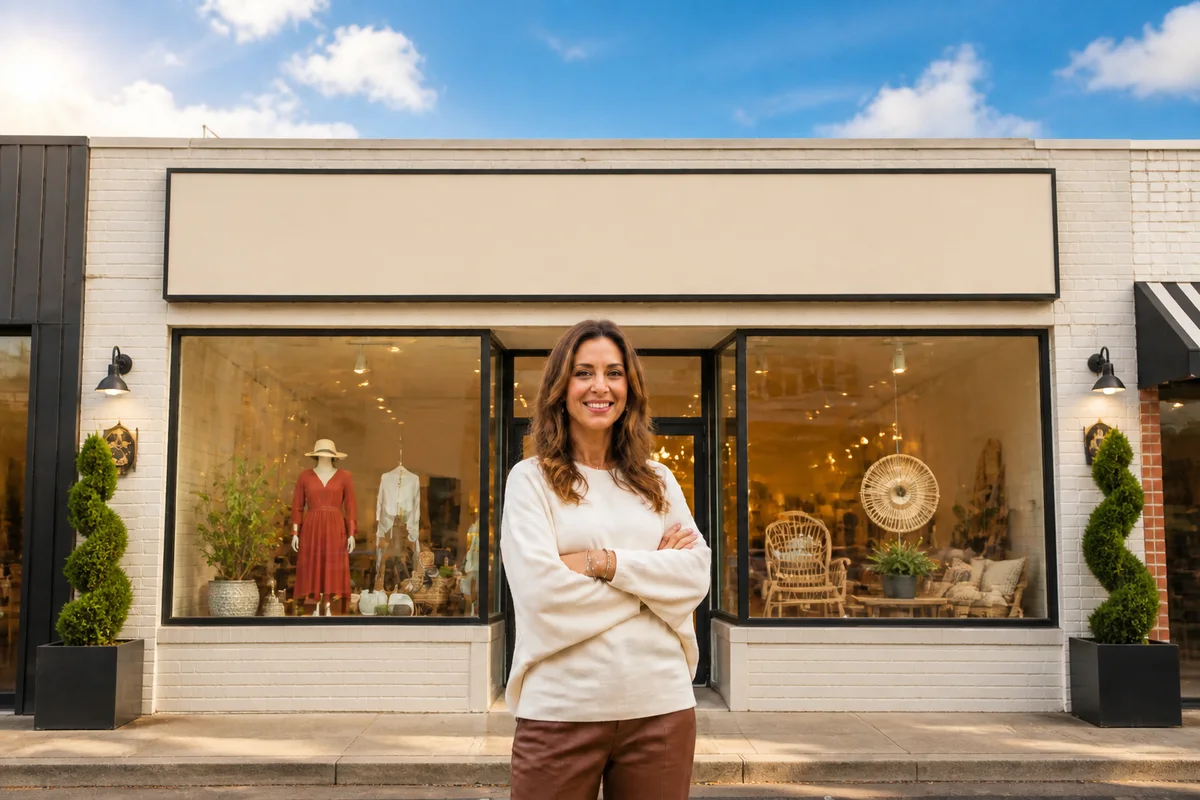
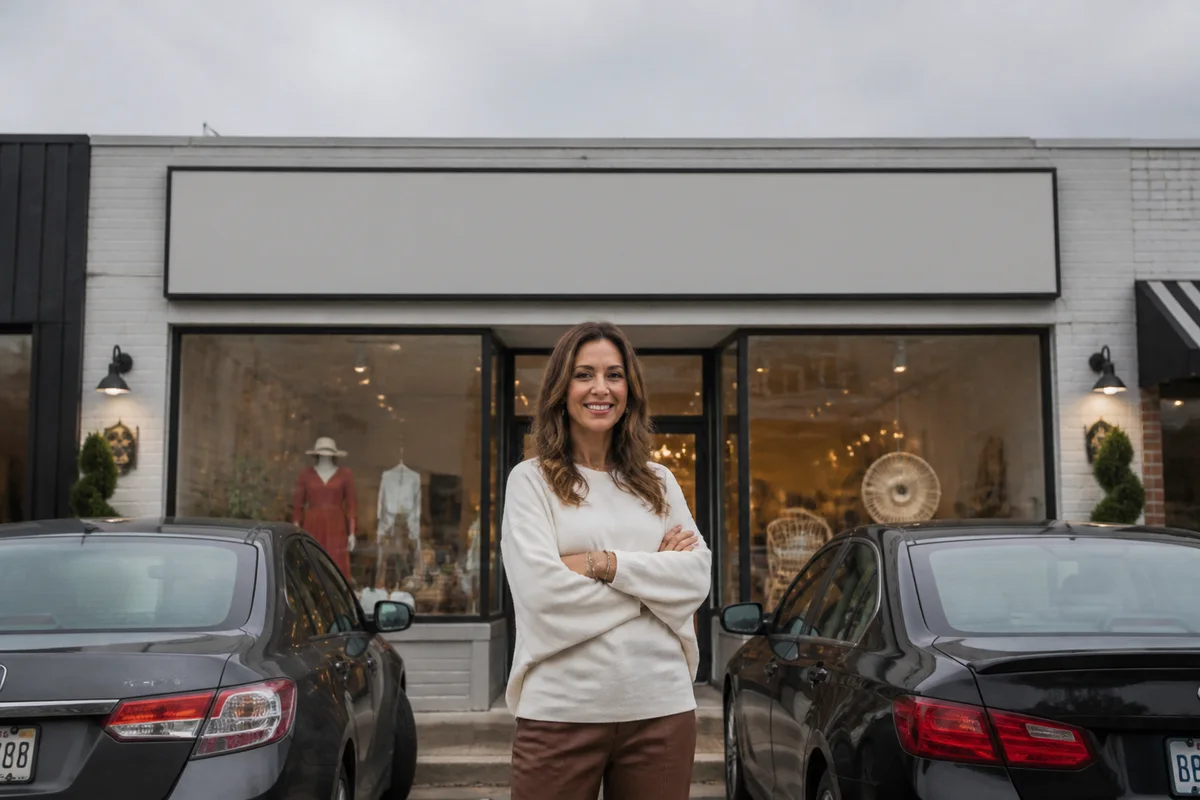
The workflow in action — drag to compare.
A small business needs the same imagery a big brand has — product shots, team photos, storefront pictures, social content, ads — with no photographer, no designer, and no budget line for either. What it has is a phone, and whoever on the team is 'good with computers.'
AI editing makes the phone enough. Cut products out for clean website and ad images, shoot team headshots against the office wall and give them matching professional backgrounds, put a blue sky over the storefront photo, and generate supporting imagery for the seasonal promotion when there's nothing to photograph. Then export the right sizes for the website, Google Business Profile, social, and print.
Consistency is the multiplier: when every image a customer sees — sign, site, social, menu, flyer — shares the same clean treatment, a five-person shop reads as an established brand.
The problems this solves
- Product, team, and location photos are all phone shots in inconsistent conditions.
- Team headshots were taken by different people against different walls over several years.
- The storefront photo on Google was taken on a gray day with cars parked in front.
- Promotions need supporting imagery there's no time or budget to shoot.
A workflow that works
Cut products and subjects out clean
Clean cutouts feed everything — website images, ads, flyers, social graphics — from one phone shot per product.
AI Background RemoverStandardize team headshots
Giving everyone's photo the same background makes an About page of mismatched selfies look like a company that has its act together.
AI Background ChangerFix the storefront photo
The Google Business Profile photo is many customers' first impression; blue sky over the storefront beats gray.
AI Sky ReplacementGenerate supporting campaign imagery
Seasonal promos and blog posts need imagery that doesn't exist yet; generation fills the gap without a stock subscription.
AI Image GeneratorUpscale for print
The same images going to flyers, banners, and window signage need print resolution phone shots don't natively have.
AI Image UpscalerFrequently asked questions
Which photos should a small business fix first?
The ones customers see before visiting: Google Business Profile photos, the website homepage hero, and your top product or service images. Those three placements shape whether people show up; interior detail shots come later.
Can we really get matching team headshots without a photo shoot?
Yes — have everyone photographed near the same window with the same phone, then give every shot identical background, lighting treatment, and crop. The consistency is what reads as professional; the studio was never the point.
Is AI-generated imagery okay to use in marketing?
For supporting and decorative imagery, yes — it's rapidly replacing stock photos. Keep photos of your actual products, team, and location real (edited, but real); customers notice when the pictured storefront doesn't match the street.
What image sizes do the common placements need?
Google Business Profile: at least 720x720. Website heroes: 1920 wide is a safe target. Social: 1080x1080 or 1080x1350. Print: 300 DPI at physical size. Edit one high-resolution master per image and export down to each placement.
Related use cases