
Use case
Edit Conference Speaker Photos with AI
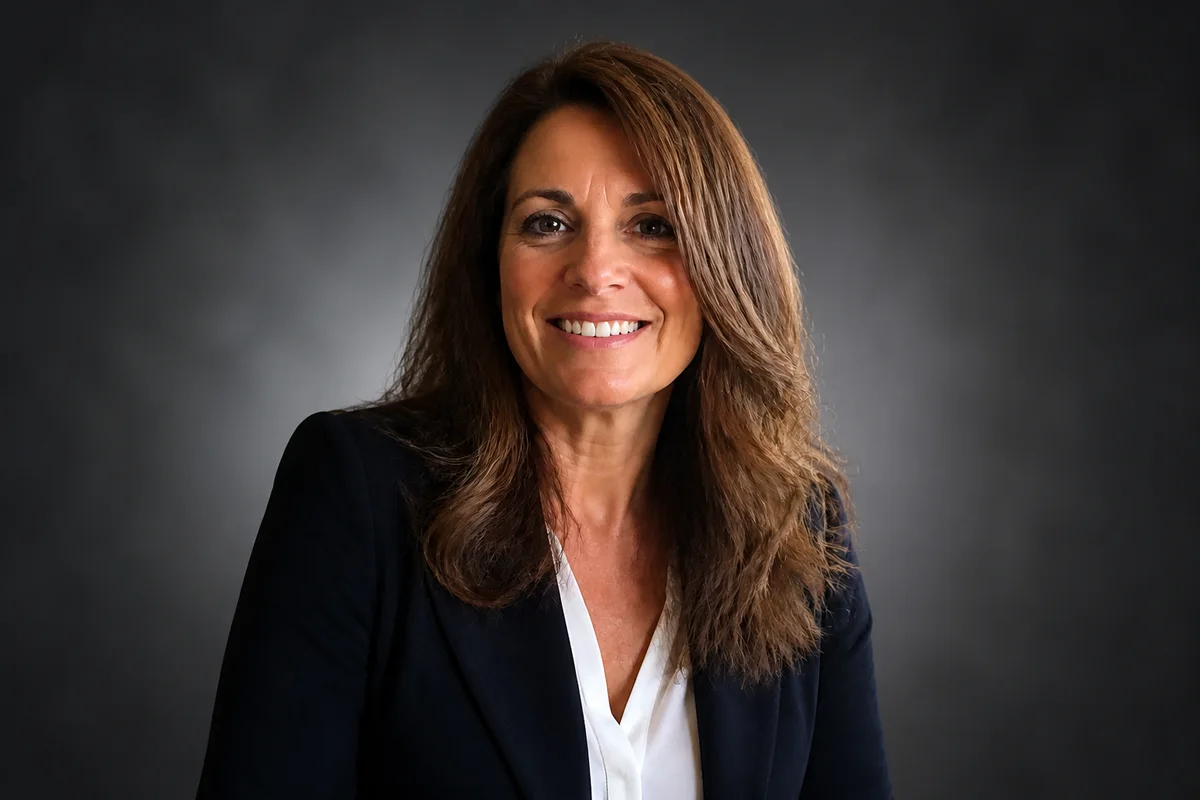
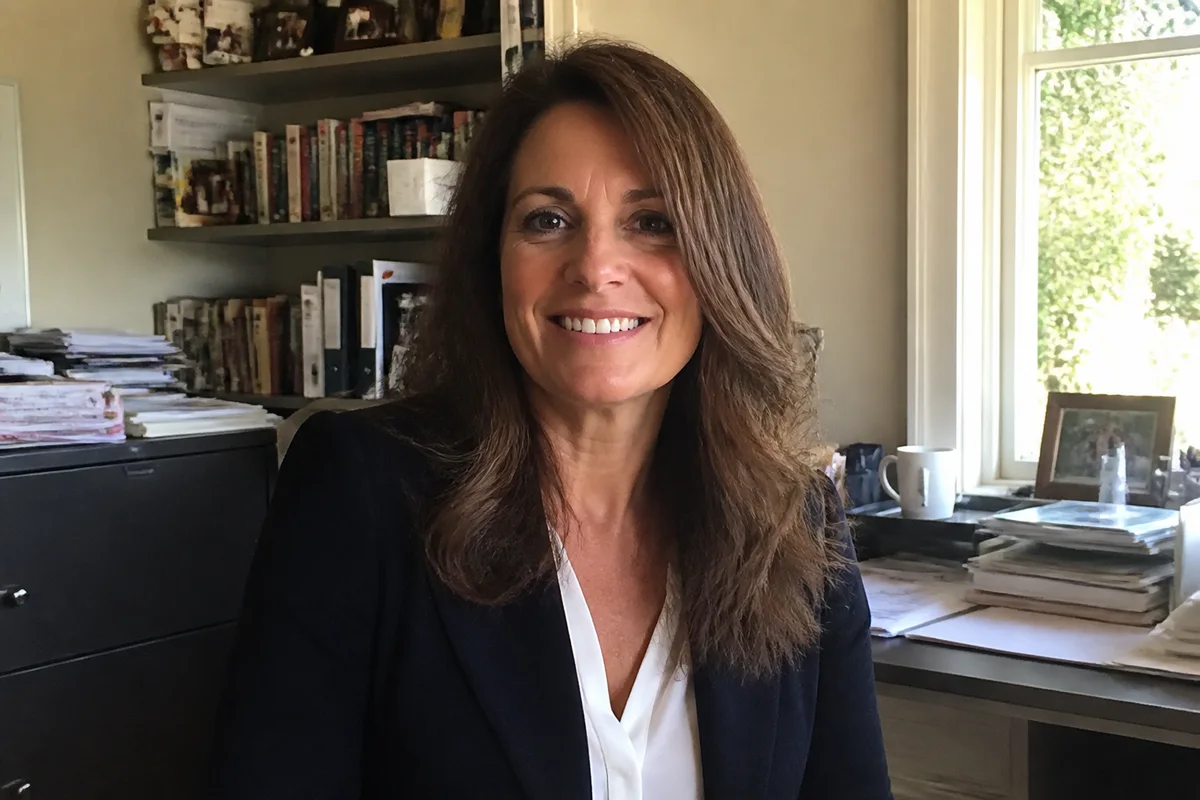
The workflow in action — drag to compare.
Every speaking gig comes with the same email: 'Please send a high-resolution headshot for the program.' What most speakers have is a LinkedIn photo from three jobs ago, a conference-badge crop from someone else's post, or a phone shot against the home-office bookshelf — and the event's brand team needs something that sits cleanly next to keynote speakers who sent studio portraits.
AI editing produces the deliverable from whatever you have. Swap the bookshelf for a clean neutral backdrop, fix the webcam-grade lighting, apply the light retouching expected of a professional photo, and export at the resolution and crop the speaker kit specifies — plus a wide version for the session banner and a square for the event app.
Stage photos from past talks get the same treatment: brighten the dim auditorium shot of you mid-keynote, and it becomes the action photo for the next pitch deck and the 'speaking' page on your site.
The problems this solves
- Organizers request high-res headshots most speakers don't have.
- Home-office and webcam photos read amateur next to keynote portraits.
- Stage photos from past talks are dark, distant, and dominated by AV clutter.
- Every event wants different dimensions — program, app, banner, socials.
A workflow that works
Replace the home-office background
A clean neutral or softly blurred backdrop puts your photo at parity with the professionally shot speakers on the bill.
AI Background ChangerFix the lighting
Even, flattering light on the face is what separates a speaker portrait from a video-call screenshot.
AI Lighting ChangerRetouch naturally
Light cleanup that keeps you recognizable on stage — audiences match the program photo to the person at the podium.
AI Face RetouchRescue the stage shots
The dim, distant photo of you mid-keynote sharpens into the action shot every speaker page needs.
AI Unblur ImageExport the kit's formats
Square for the app, portrait for the program, wide for the banner — one edit satisfies every organizer's spec sheet.
AI Photo ReframeFrequently asked questions
What resolution do conference organizers usually want?
Specs vary, but 1200x1200 or larger covers most program and app uses, and print programs may ask for 300 DPI files. Upscale your edited photo to comfortably exceed the request rather than sending the minimum.
Should my speaker photo match my LinkedIn photo?
Ideally yes — attendees look you up. Edit one strong source photo and export versions for LinkedIn, the speaker kit, and your site so every touchpoint shows the same recognizable person.
Can a photo from a previous talk work as a speaker photo?
Stage shots make great secondary photos — brighten and sharpen them for your speaking page and social proof. For the program headshot itself, organizers usually want a front-facing portrait, which is where the edited headshot comes in.
How much retouching is appropriate for a professional speaker photo?
The headshot standard: temporary blemishes, shine, and stray hairs gone; features, lines, and everything recognizable kept. You'll be standing under stage lights next to a projection of this photo — they should match.
Related use cases