
Use case
Edit Boat Sale Photos with AI
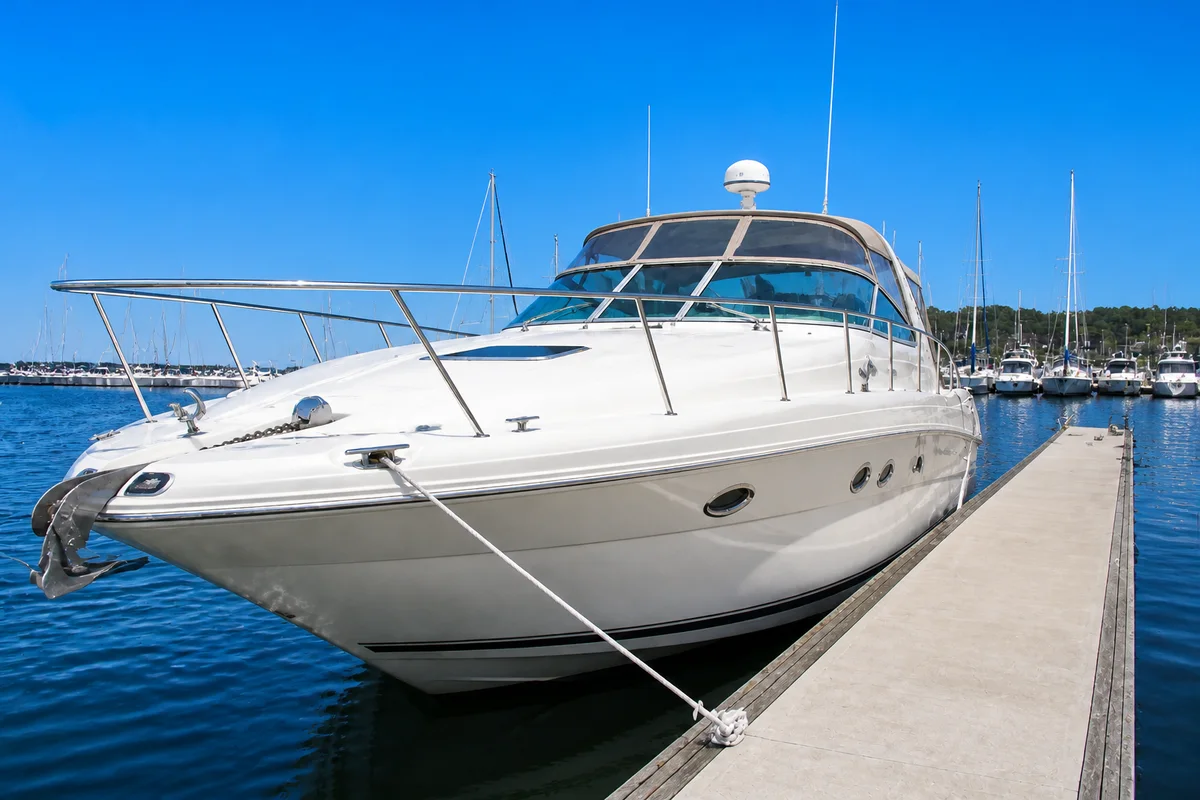
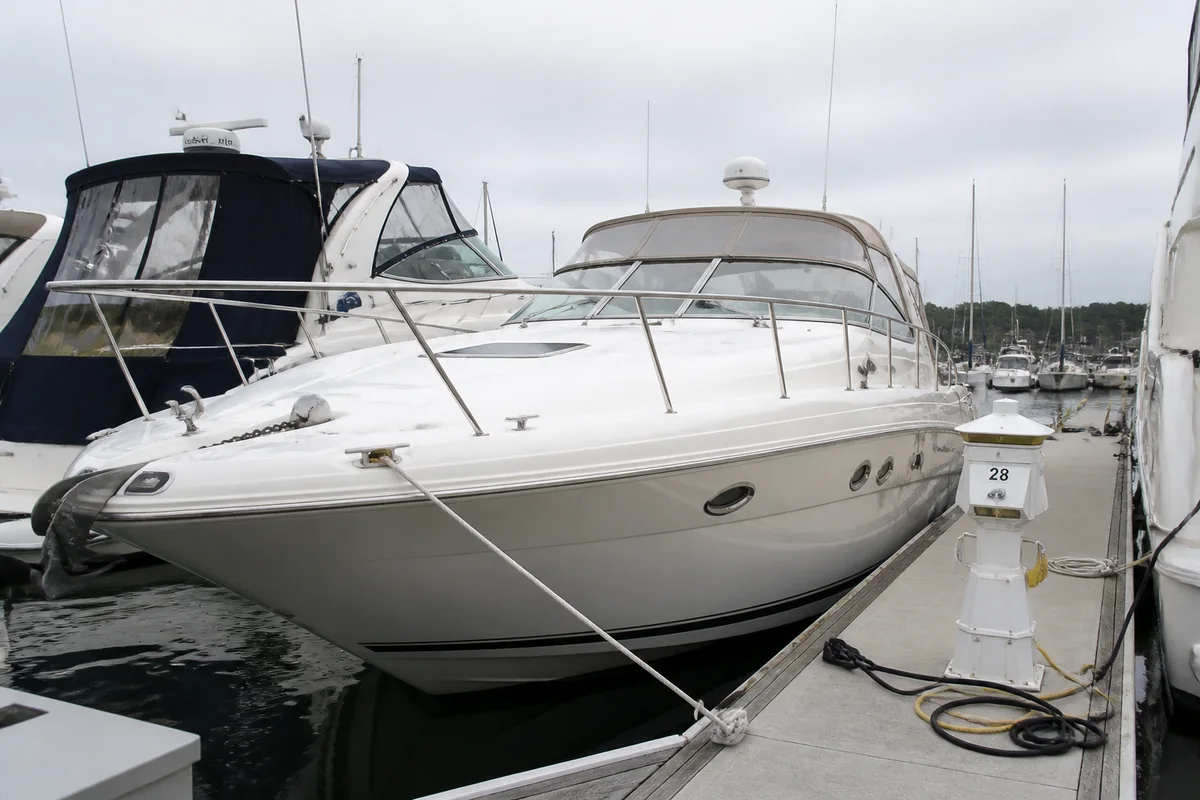
The workflow in action — drag to compare.
Boats are among the hardest things to photograph well: white gelcoat throws glare in every direction, the water doubles every reflection, and the boat is either on a trailer in your driveway or in a marina slip surrounded by other people's boats, dock boxes, and power pedestals. Yet boat buyers shop with their eyes first, and listings with clean, bright photos get the calls.
AI editing solves the boat-specific problems. Cut the glare off the hull and windshield so the finish reads clearly, remove the neighboring boats and dock clutter that confuse the frame, put a blue sky over a gray launch day, and sharpen the detail shots of the helm, engine, and upholstery that serious buyers zoom into.
Whether it's a listing site, a marketplace post, or a broker submission, the same edited set works everywhere — and a boat that looks cared-for in photos supports a cared-for price.
The problems this solves
- White hulls and chrome throw glare that hides the condition buyers want to see.
- Marina slips surround the boat with other vessels, pedestals, and dock clutter.
- Gray-day photos make even a clean boat look tired.
- Buyers zoom into helm, engine, and upholstery shots that phone photos render soft.
A workflow that works
Cut the glare
Sun off gelcoat, chrome, and glass hides the finish; removing it shows the condition you're asking money for.
AI Glare RemovalClean up the marina frame
Neighboring bows, dock boxes, and power cords disappear so the buyer sees your boat, not the whole dock.
AI Object RemoverPut blue sky over the hull
A boat under blue sky sells the day the buyer is imagining; a boat under gray sky sells a chore.
AI Sky ReplacementCorrect the color
Water bounce and overcast light shift hull and upholstery colors; correction makes the listing match the survey.
AI Color CorrectionSharpen the detail shots
Helm electronics, engine bay, and upholstery closeups are where buyers judge real condition — crisp detail builds trust.
AI Image SharpenerFrequently asked questions
Should I photograph the boat in the water or on the trailer?
Both if you can: in-water shots sell the experience, trailer shots let buyers inspect the hull and running gear. Editing helps either way — glare and clutter removal for the marina, background cleanup for the driveway.
Is it misleading to remove other boats from the background?
No — the surrounding boats aren't part of what you're selling. The line is editing the boat itself: never hide gelcoat damage, corrosion, or wear that a buyer would find at the survey.
What shots does a boat listing need?
Full profile from both sides, bow and stern, helm, cabin and berths if any, engine or engine bay, and the trailer if included. Ten to fifteen clean photos outperform thirty cluttered ones.
The only photos I have are from a gray day. Reshoot or edit?
If the boat is clean and the photos are sharp, editing wins: blue sky, brightened light, and corrected color turn a gray-day set into a sunny one. Reshoot only if the originals are blurry or the boat has since been detailed.
Related use cases