
Use case
Edit Car Sale Photos with AI
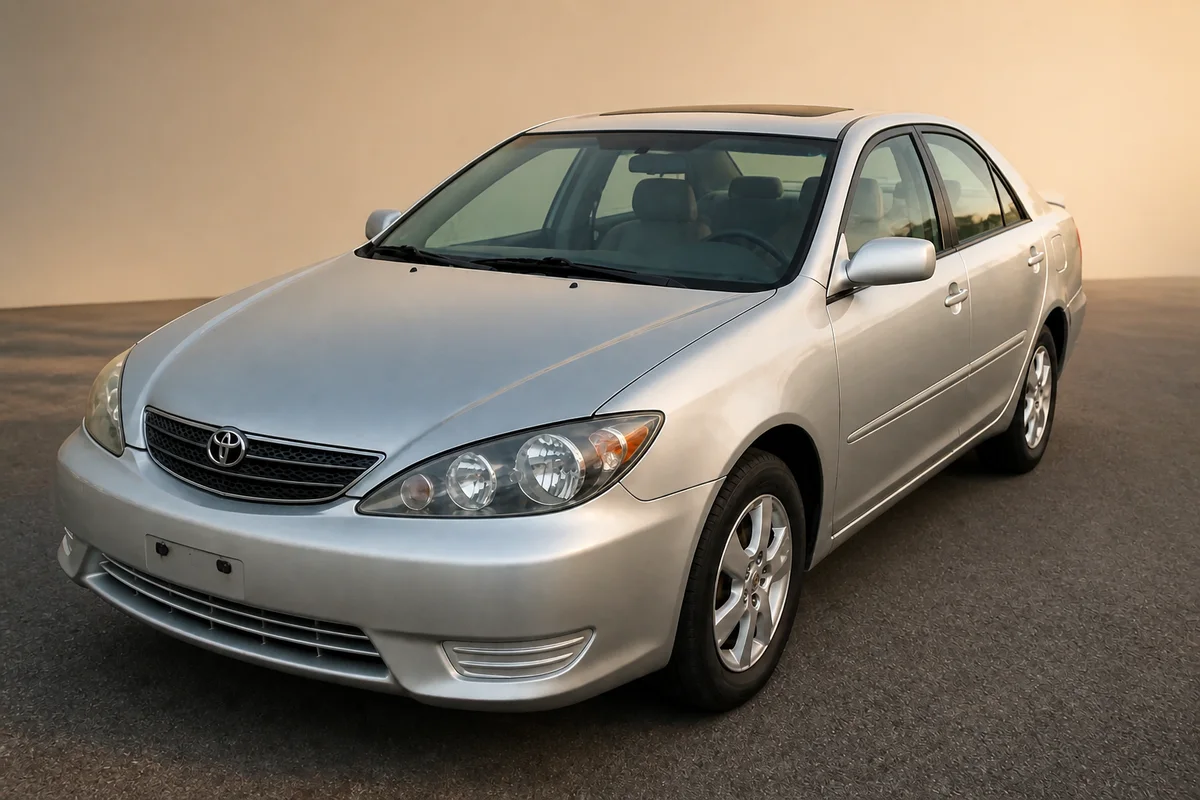
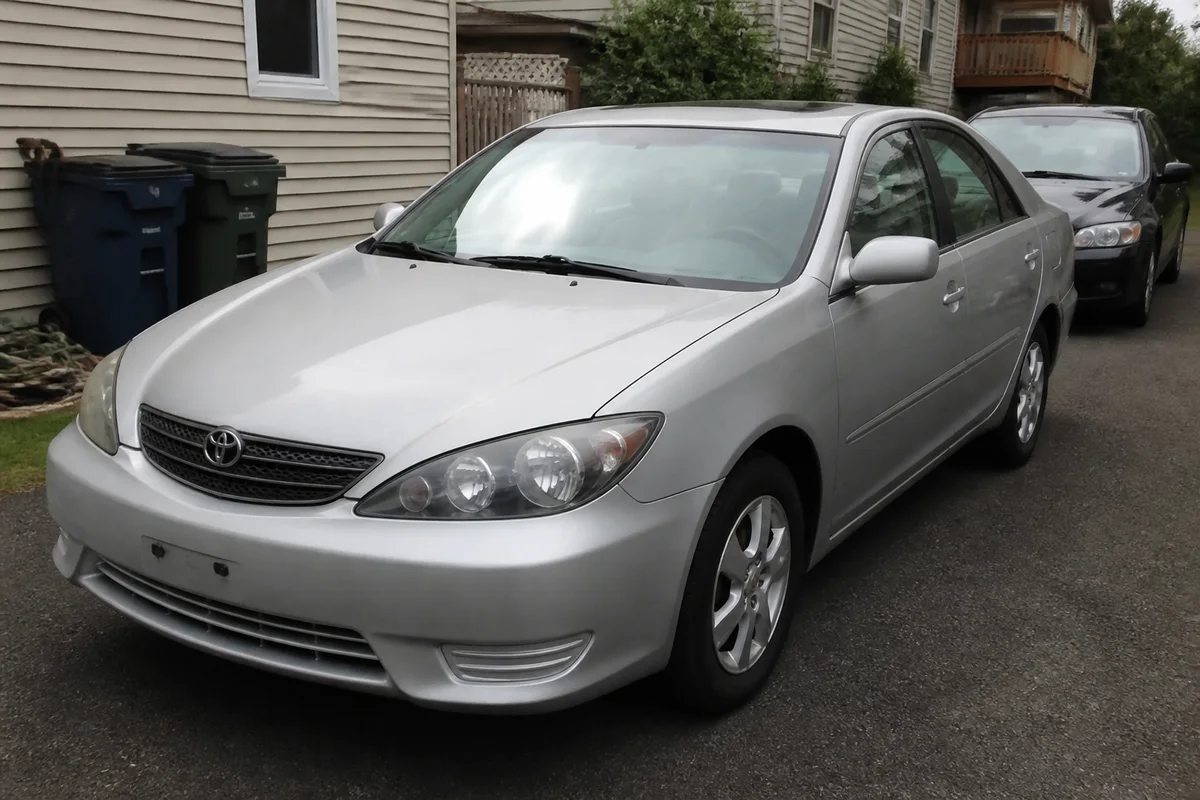
The workflow in action — drag to compare.
On listing sites, your car competes against dealer photos shot in clean studios with even lighting — while yours was shot in a driveway with a garbage bin, a garden hose, and your neighbor's car in frame. Buyers scroll fast, and a listing with dim, cluttered photos reads as a seller who didn't maintain the car either.
AI editing closes the gap with a dealer lot. Replace the driveway background with a clean, neutral setting, remove the reflections and glare that hide the car's actual condition through the windshield and on the paint, blur or remove the license plate for privacy, and correct the color so the paint looks like it does in person.
The rule for selling anything used: fix the photo, not the car. Present the real condition clearly — clean photos that show the car exactly as it is sell faster than suspicious perfection.
The problems this solves
- Driveway and street backgrounds are cluttered with bins, hoses, and other vehicles.
- Glare on the windshield and paint hides the car's condition and makes photos look cheap.
- The license plate is readable in every shot — a privacy problem on public listings.
- Overcast light makes the paint color look dull and different from reality.
A workflow that works
Replace the driveway background
A clean, neutral setting puts all attention on the car and reads like a dealer listing instead of a driveway snapshot.
AI Background ChangerRemove glare and reflections
Glare on glass and paint obscures condition — the exact thing buyers are trying to judge from photos.
AI Glare RemovalObscure the license plate
Removing the plate text protects your privacy on listings that thousands of strangers will view.
AI Text RemoverCorrect the paint color
Overcast skies and shade shift paint color; correction makes the listing match what the buyer sees at the meetup.
AI Color CorrectionSharpen the detail shots
Crisp interior, wheel, and engine-bay shots signal a documented, cared-for car.
AI Image SharpenerFrequently asked questions
Is it misleading to edit photos of a car I'm selling?
Editing the setting is fine — background, glare, lighting, plate privacy. Editing the car is not: don't remove dents, scratches, rust, or wear. Buyers inspect in person, and hidden flaws kill deals and invite disputes.
What photos does a car listing need?
Front three-quarter, rear three-quarter, both sides, interior front and rear, dashboard with mileage visible, engine bay, wheels, and clear closeups of any damage. Edit them all for consistent lighting and background so the listing looks documented, not staged.
Should I blur the plate or remove it entirely?
Either works for privacy. Text removal produces a cleaner look than a blur box; some sellers replace the plate area with a plain rectangle. Check whether your listing platform has its own plate policy.
The car looks better in person than in my photos. What's wrong?
Almost always light and color: overcast skies flatten paint, and phone cameras mute metallics. Shoot in open shade or golden hour if you can, then use color correction and lighting adjustment to recover the depth the paint has in person.
Related use cases